Works even offline
The internet drops in the middle of the dinner rush? Billing, the kitchen screen and the captains' phones keep going on the shop Wi-Fi.
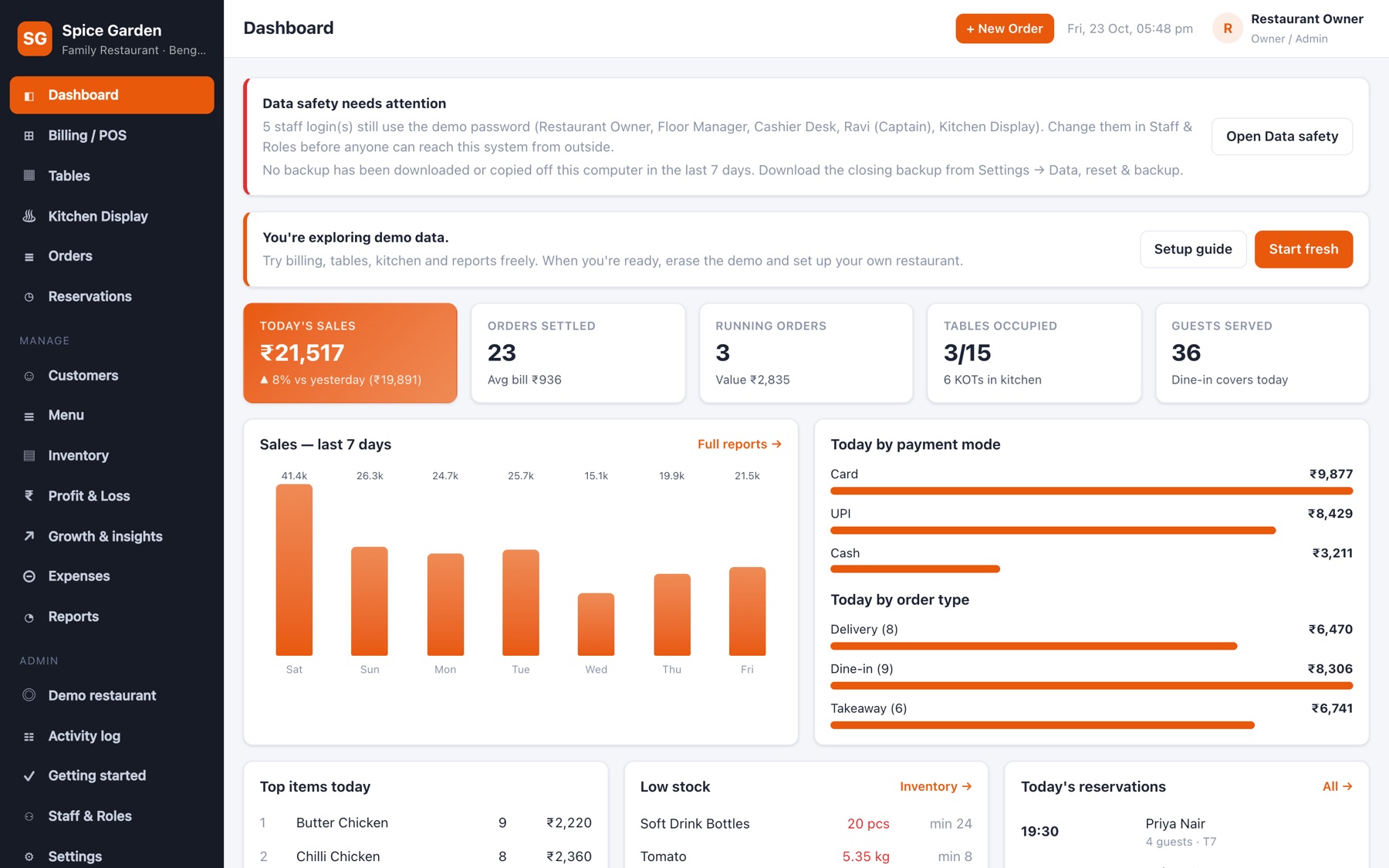
Billing, tables, kitchen display, menu, stock, customers, expenses, profit & loss and growth insights — in one app that runs on your own counter PC. No monthly fee, no app installs, and it keeps billing when the internet drops.
The internet drops in the middle of the dinner rush? Billing, the kitchen screen and the captains' phones keep going on the shop Wi-Fi.
₹0 a month on your own computer. No per-bill charges and no payment-gateway cut — every rupee of the sale stays yours.
One clear screen for each job. New staff learn it in an afternoon, and a full practice restaurant lets them try everything first.
A step-by-step setup checklist, a practice restaurant, a one-click health check and automatic backups — so you're rarely stuck, even late at night.
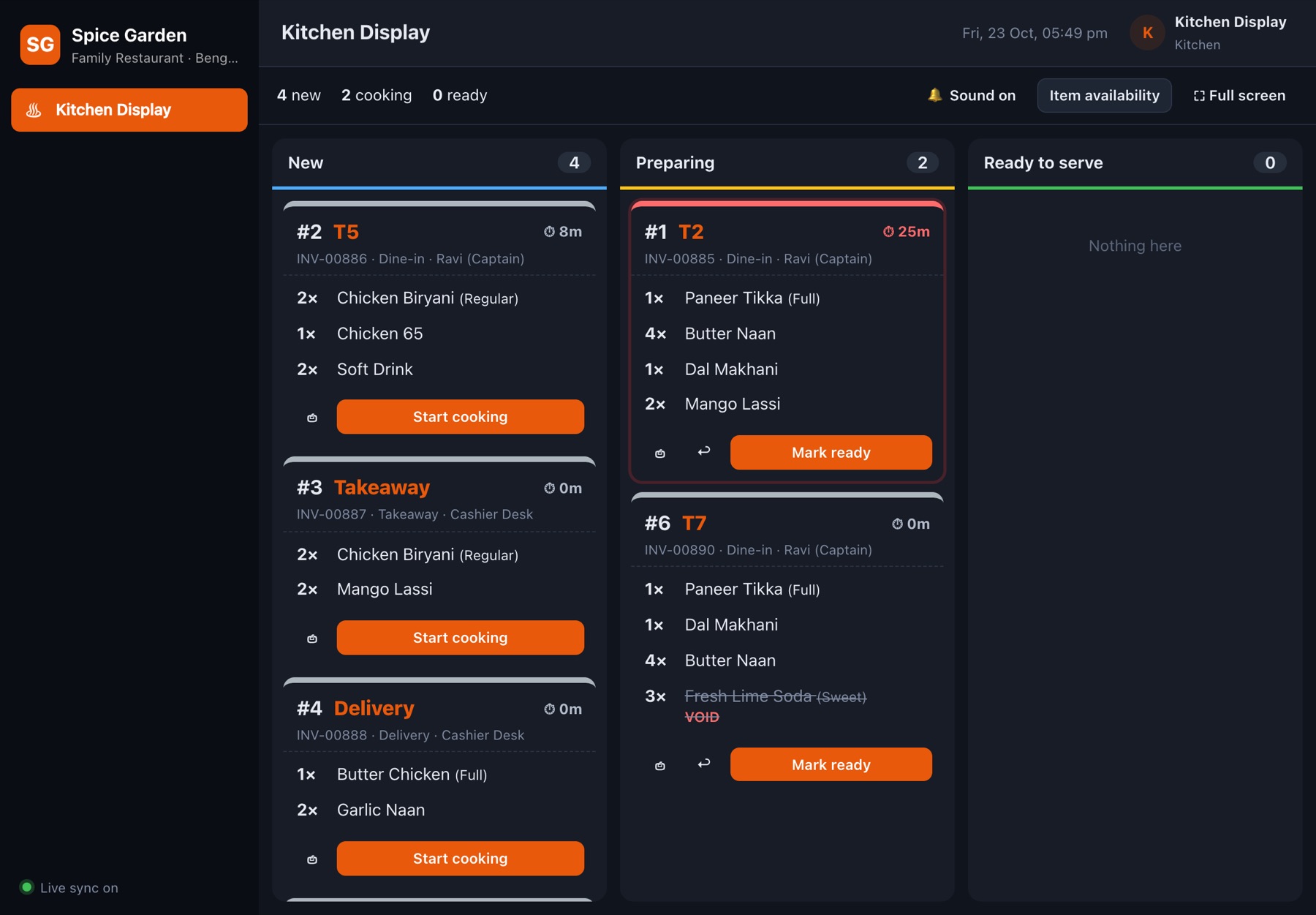
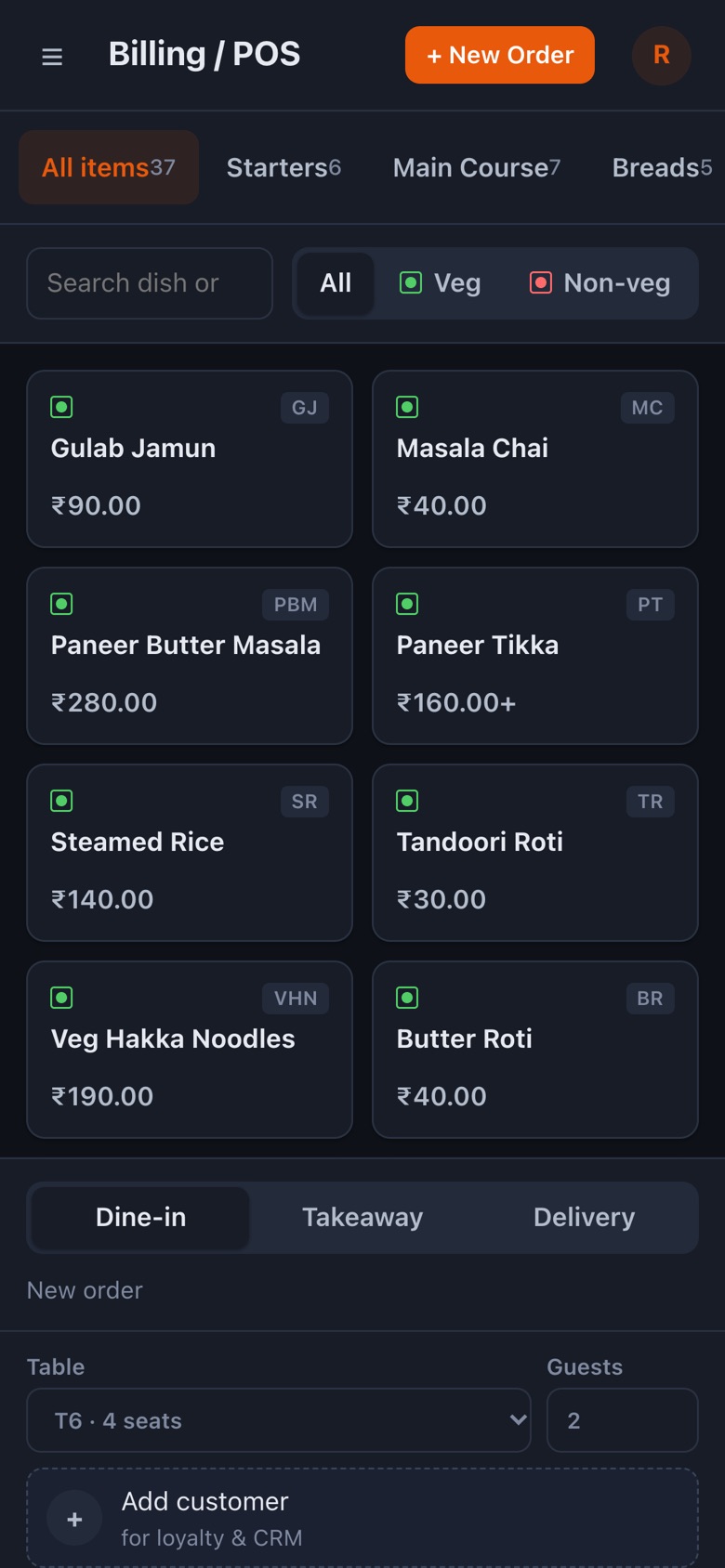
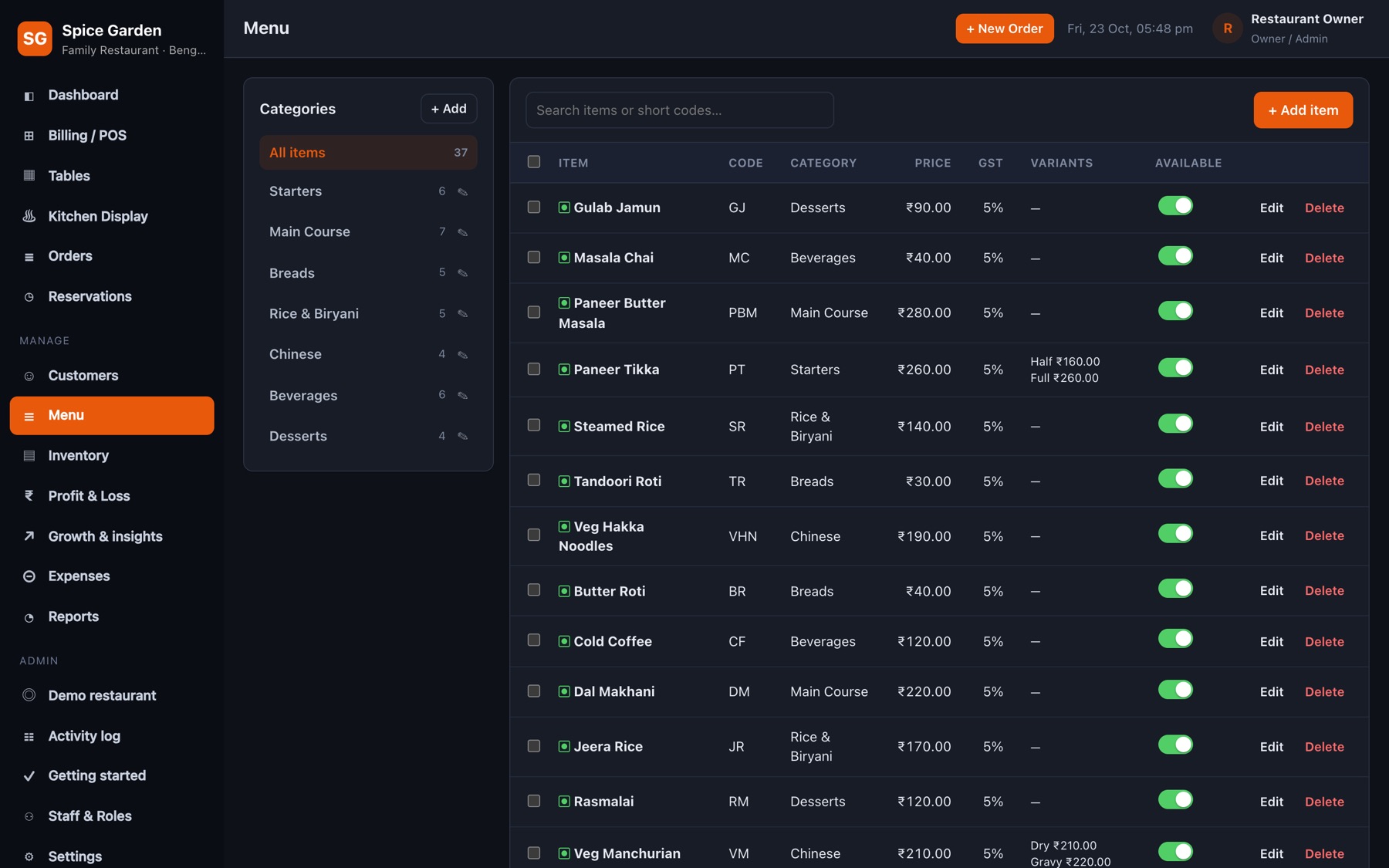
Every screen below is a real screenshot of the app with its built-in demo restaurant.
Search by name or short code, filter veg / non-veg, pick variants like Half or Full, add notes, and send the order to the kitchen with one tap.
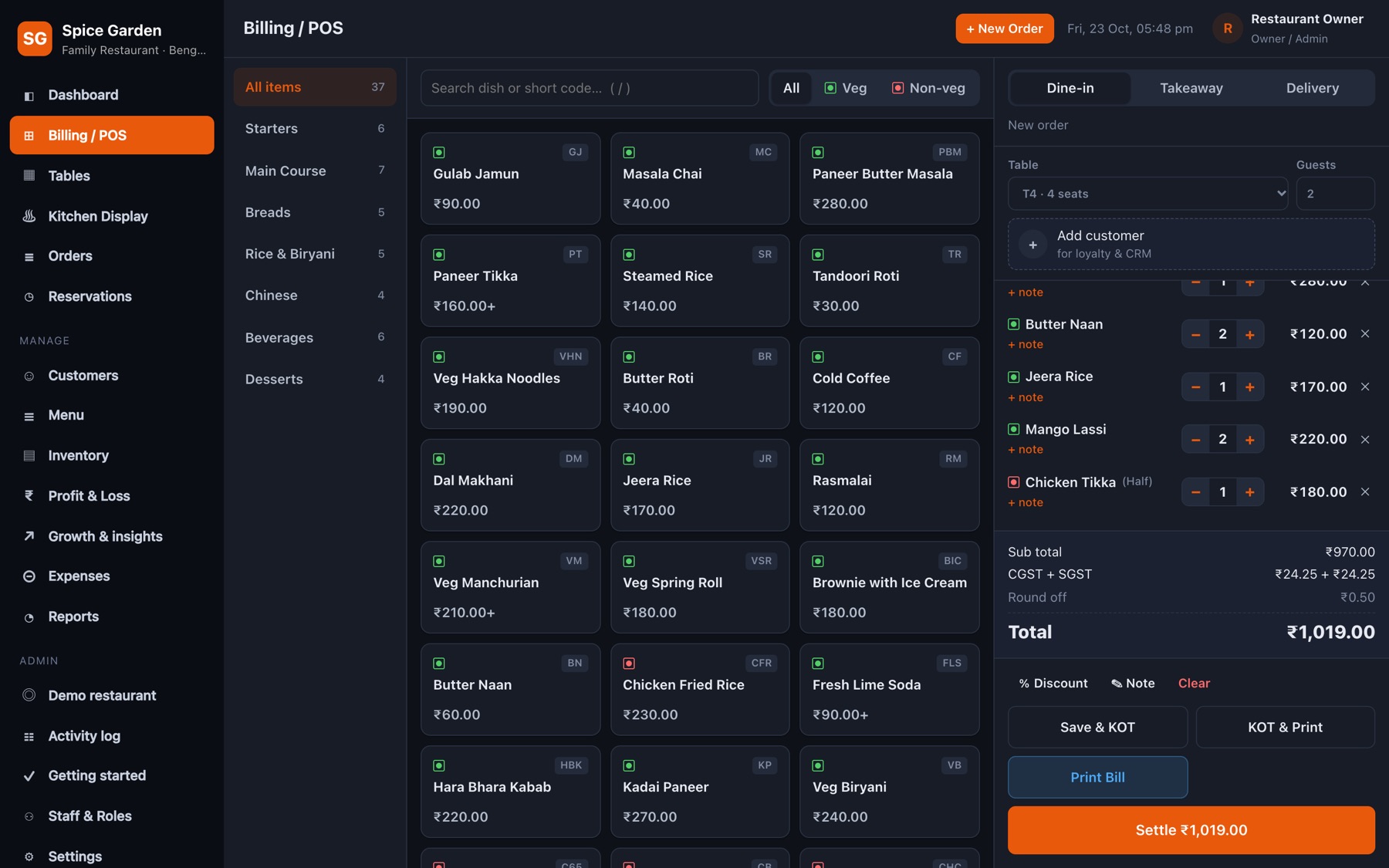
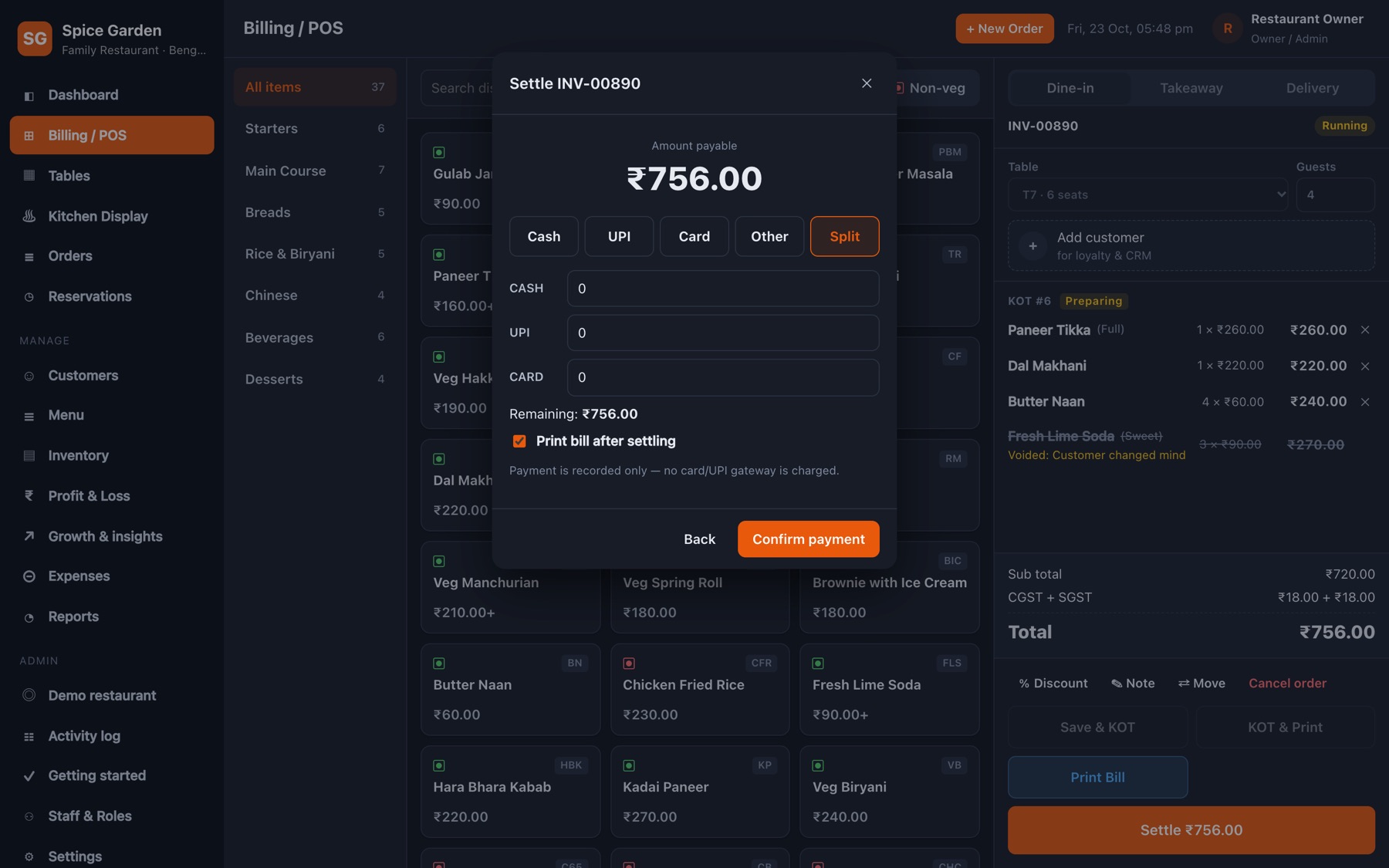
Split one bill across payment modes and see the remaining amount as you type. Payments are recorded, never charged, so there are no gateway fees.
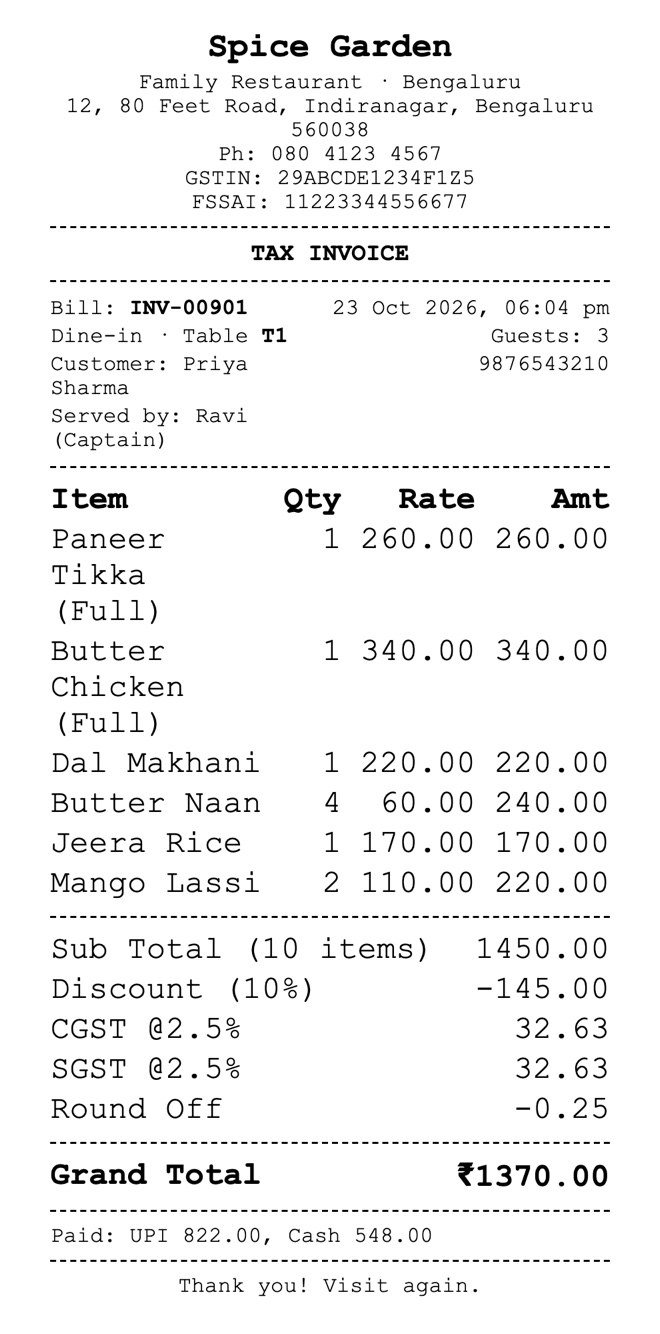
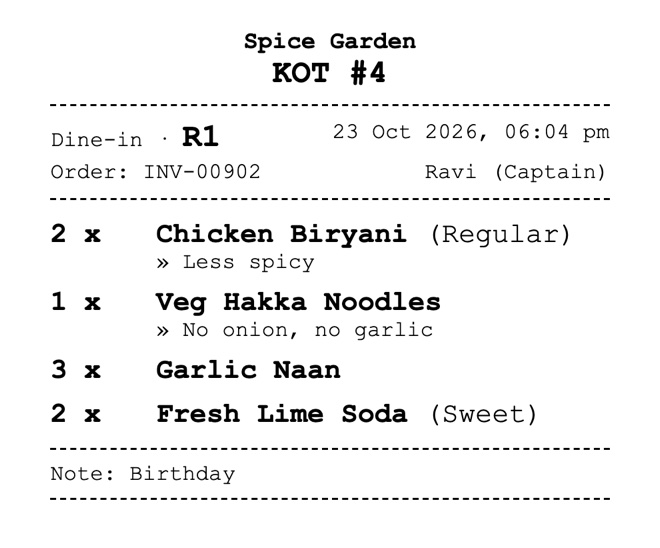
Print a GST tax invoice for the guest and a KOT for the kitchen — on a 58 / 80 mm thermal printer or any printer your computer can use. These are real prints from the app.
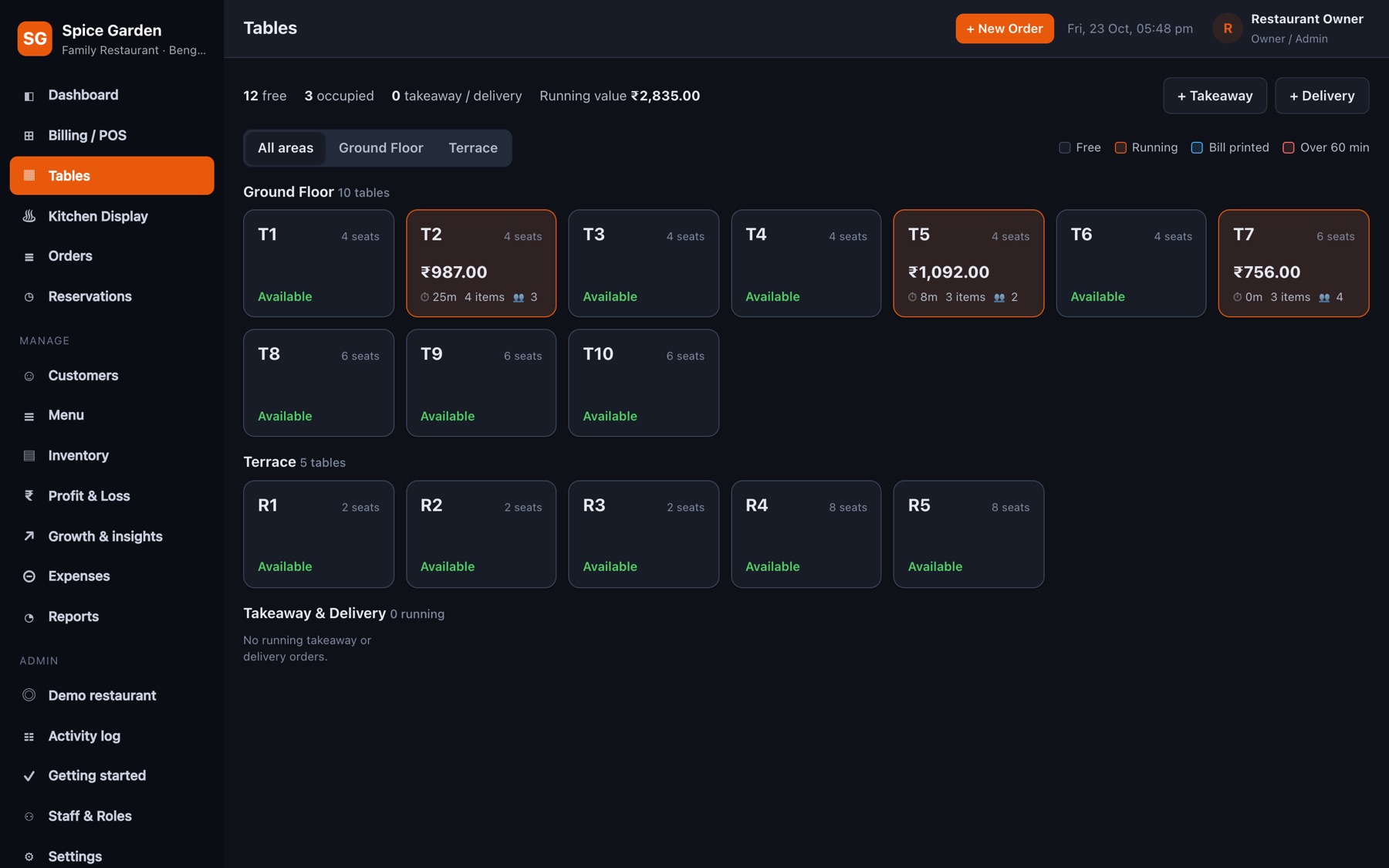
See which tables are free, running or waiting for the bill, how long guests have been seated and what they've spent. Captains take orders from their phones.
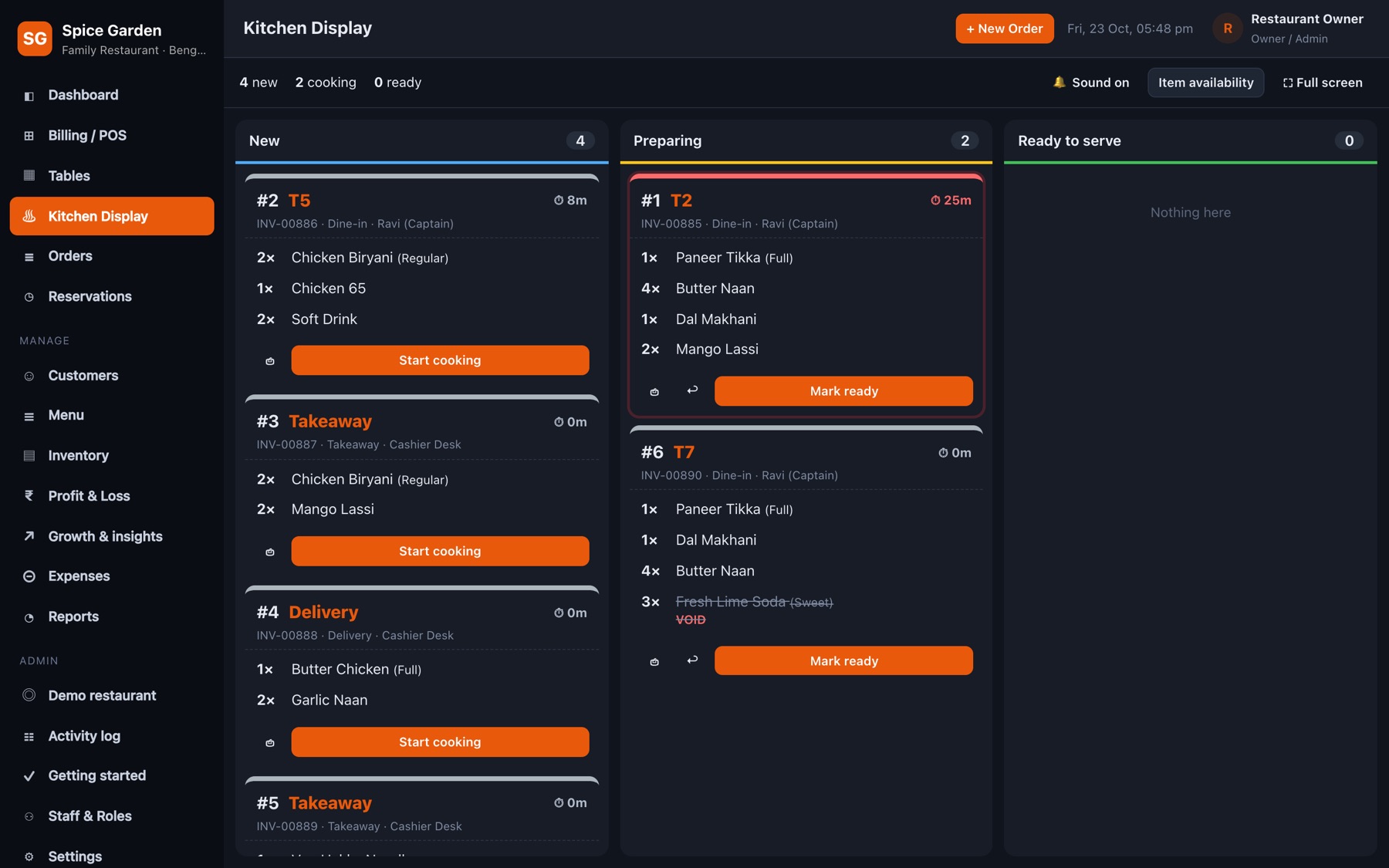
Every KOT appears on the kitchen screen the moment it's sent. Cooks tap to move it from new to preparing to ready, and the floor sees it instantly.
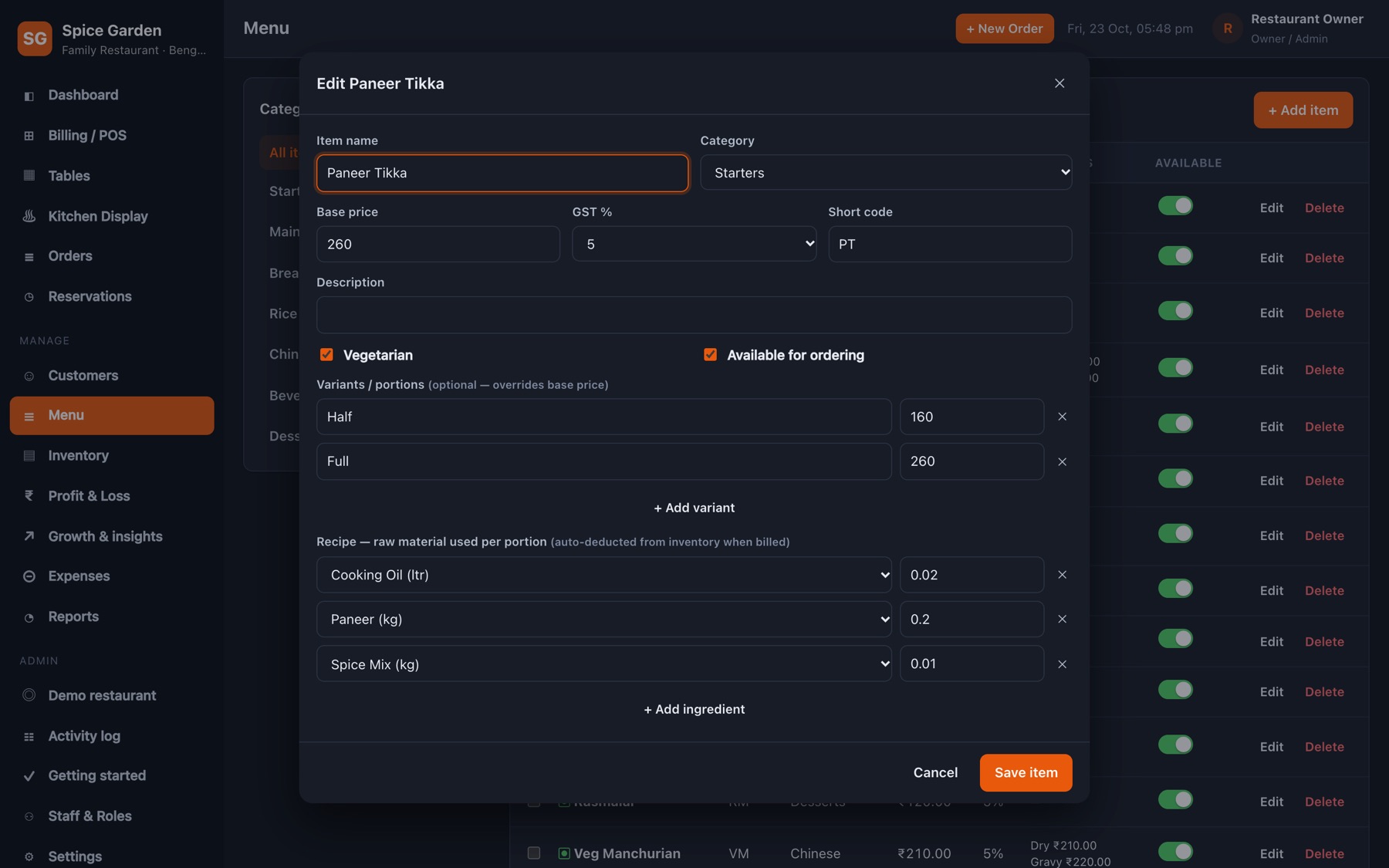
Categories, variants with their own prices, short codes, GST slab per item, and availability you can switch off when an item runs out.
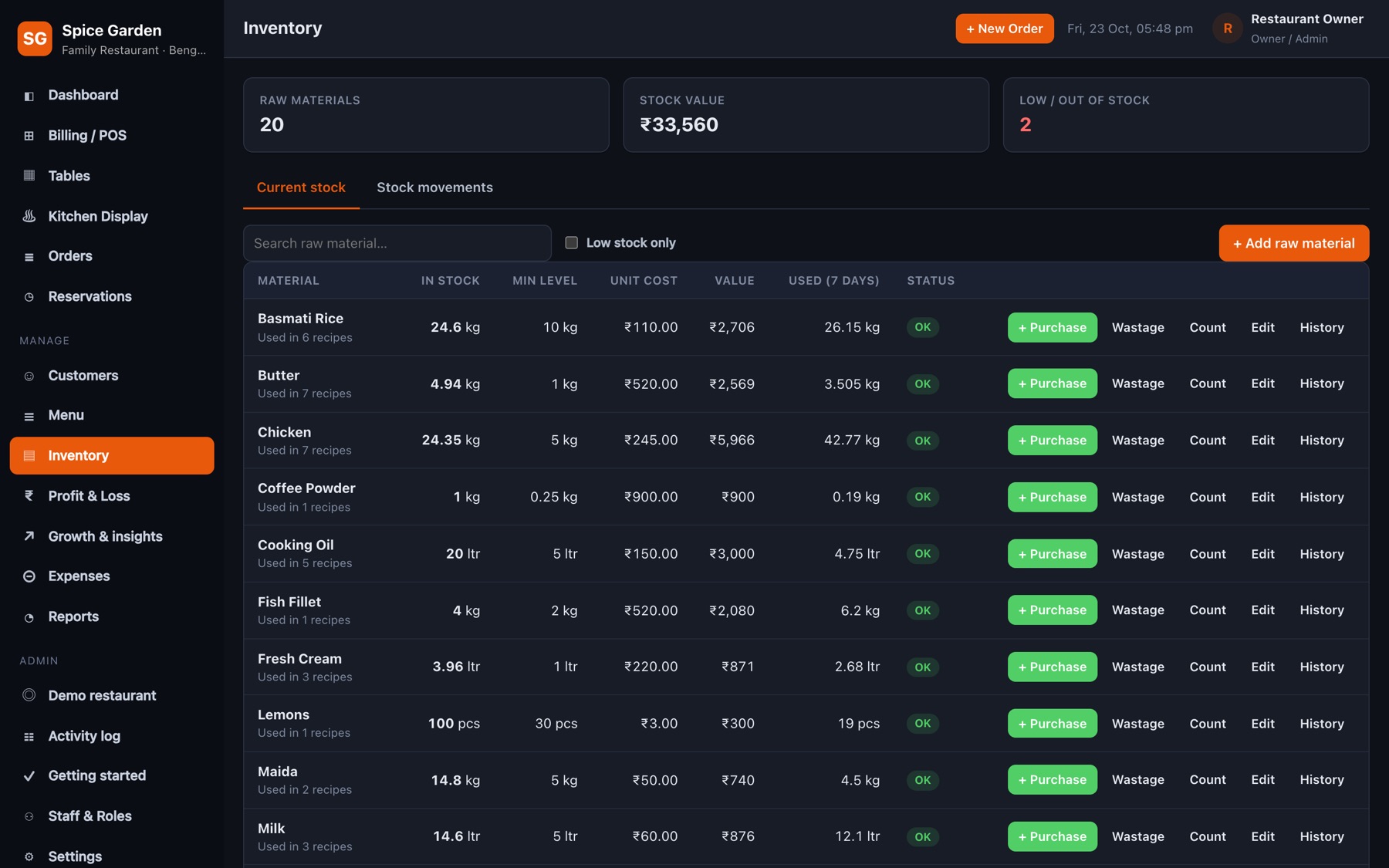
Record purchases with supplier and cost, log wastage, and let sales deduct stock automatically. Low-stock items show up on the dashboard.
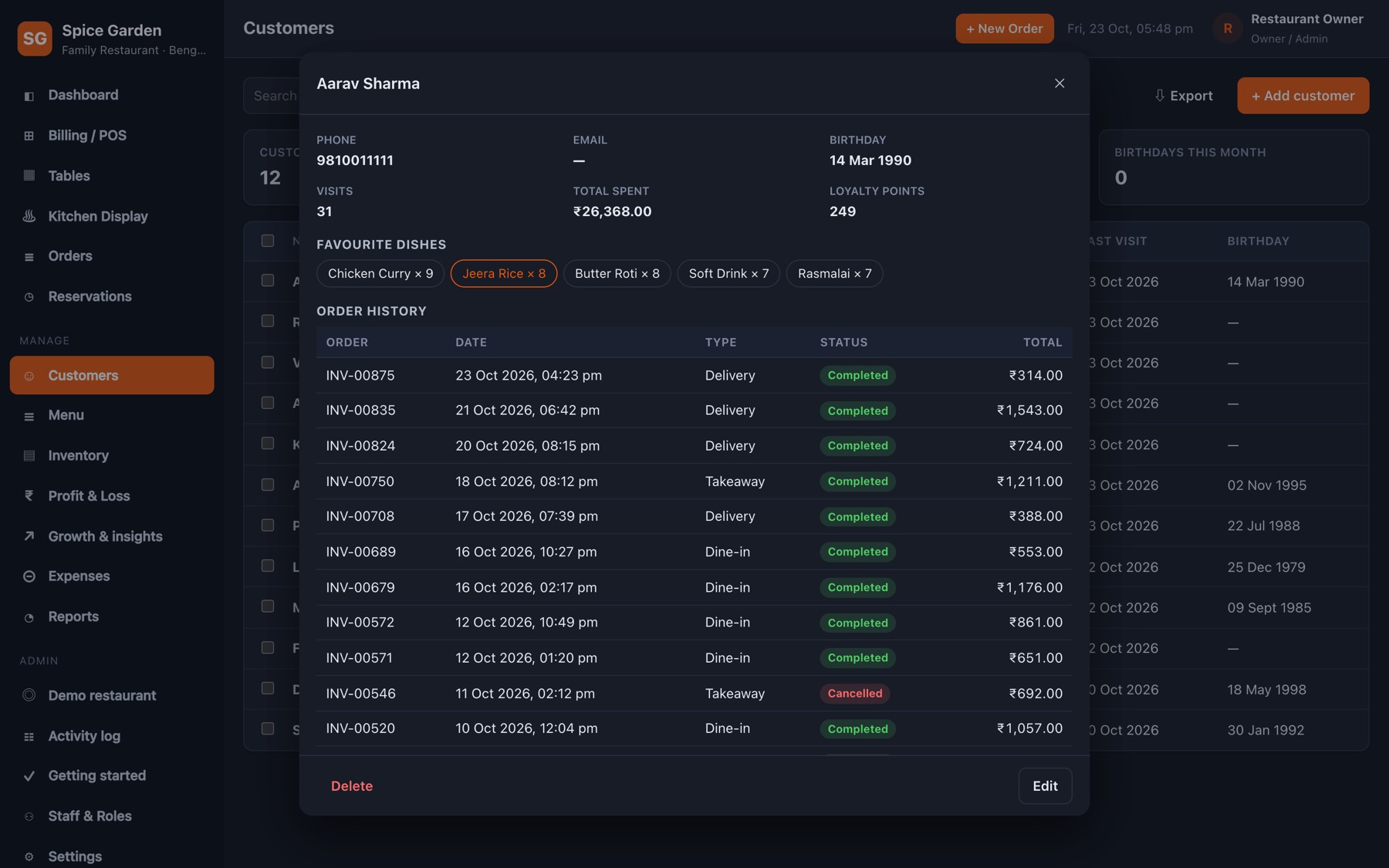
Attach a customer to a bill by phone number to build visit history, favourite dishes and lifetime spend. Book tables by day or by week.
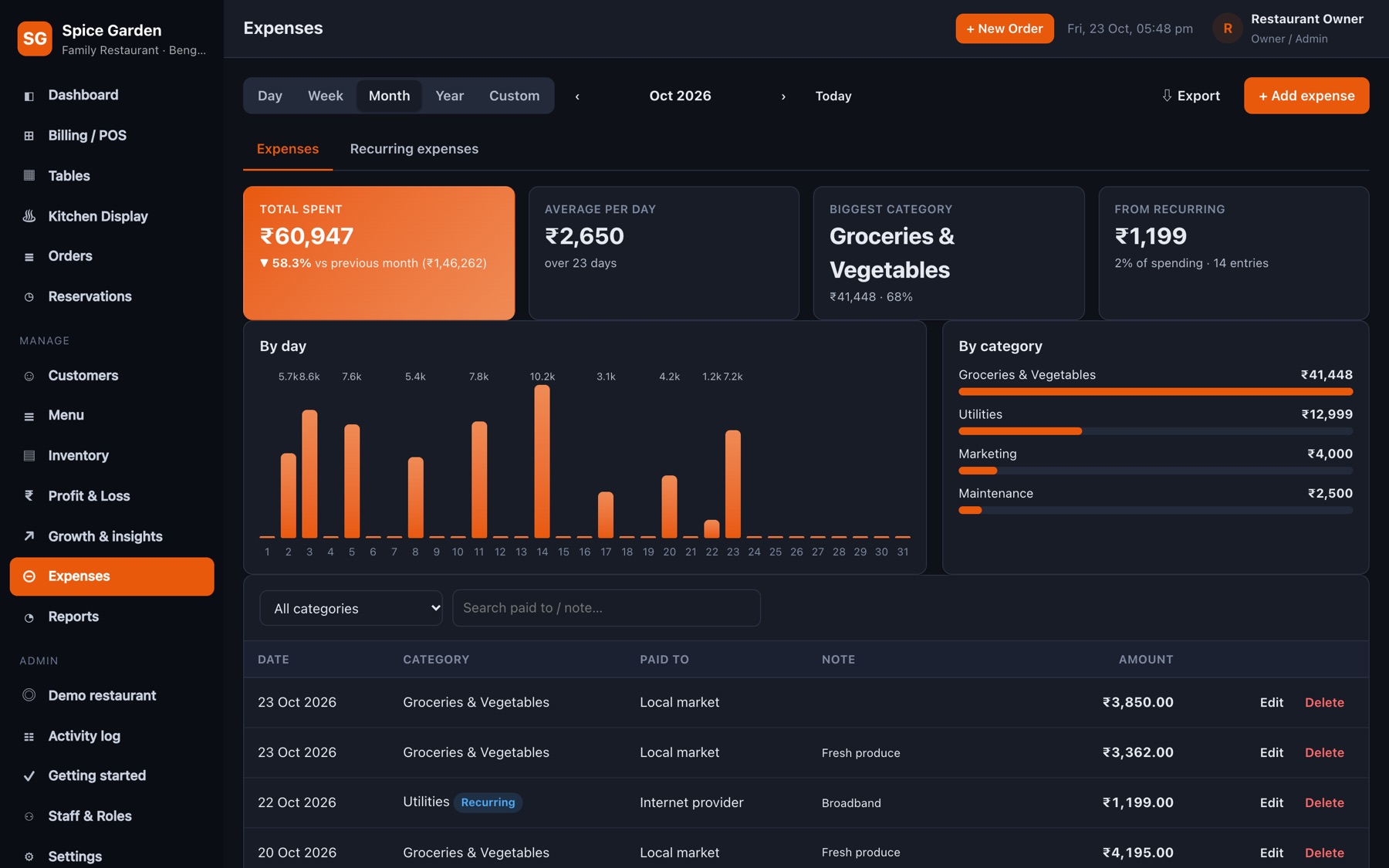
Log rent, salaries, groceries, gas and electricity. Set recurring expenses once and they appear on their own every week, month or year.
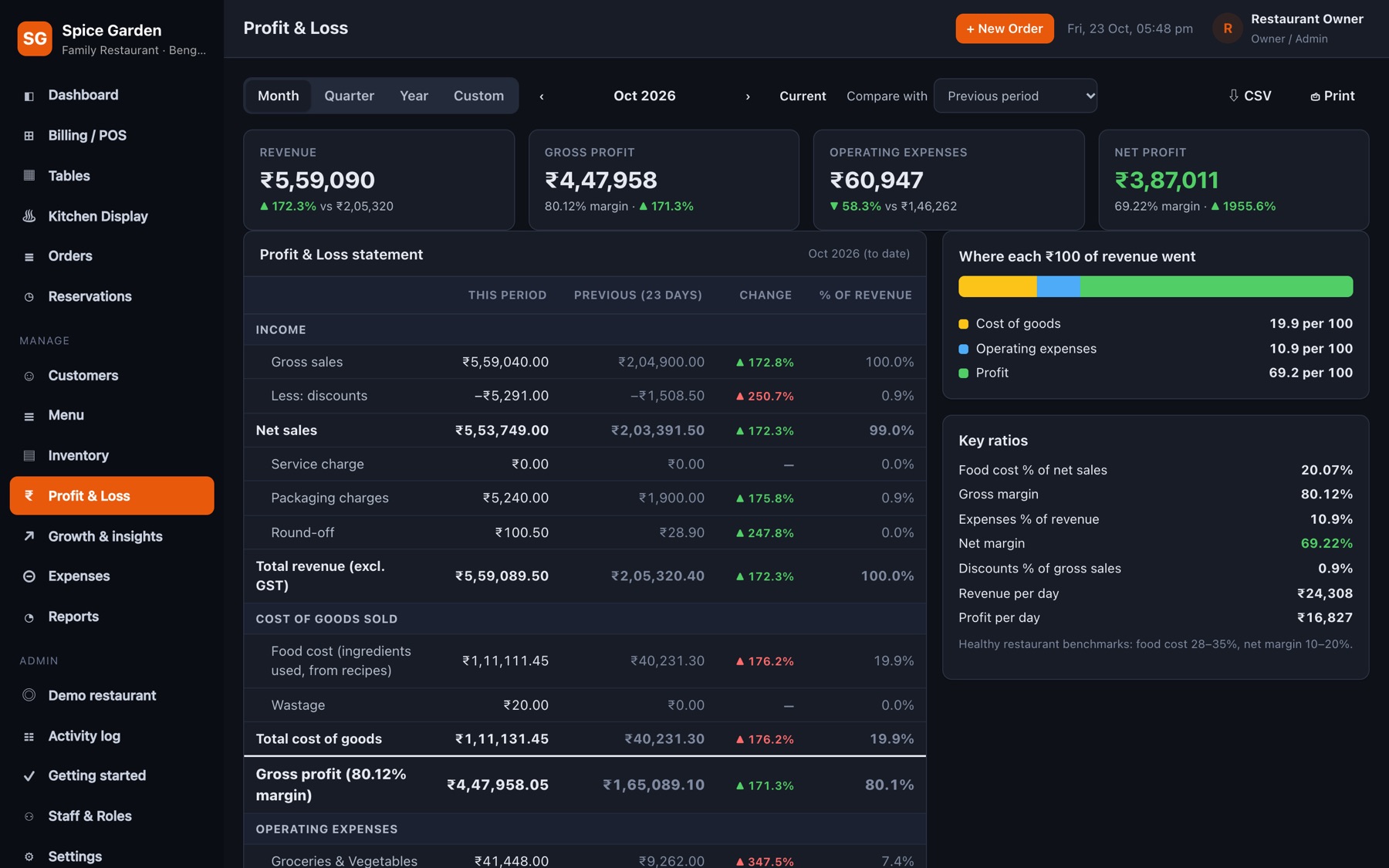
Sales minus GST, food cost and expenses, month by month, with healthy ranges for food cost and margins coloured in so problems stand out.
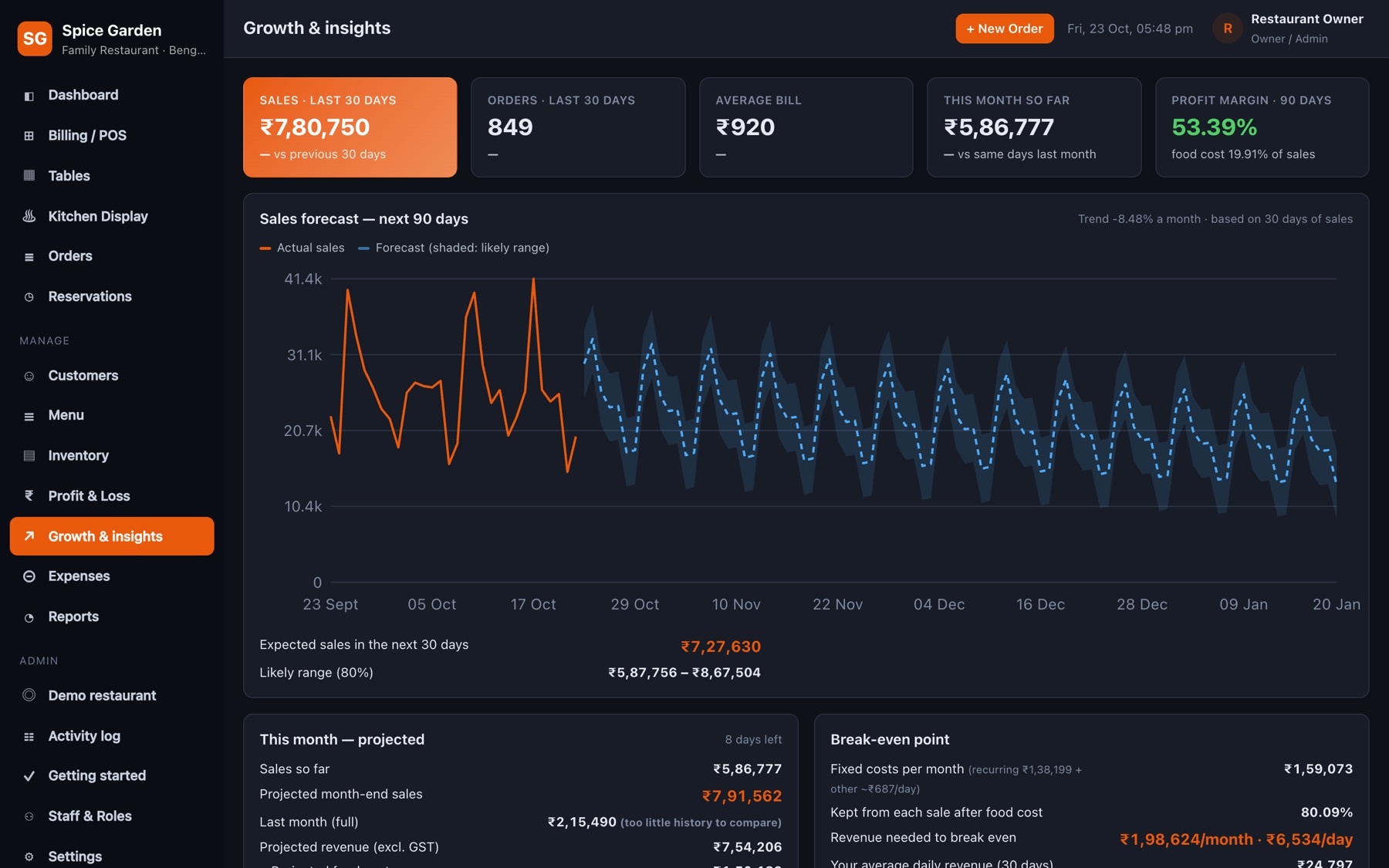
A sales projection with a likely range, best days and hours, top and slow dishes, and practical advice drawn from your own numbers.
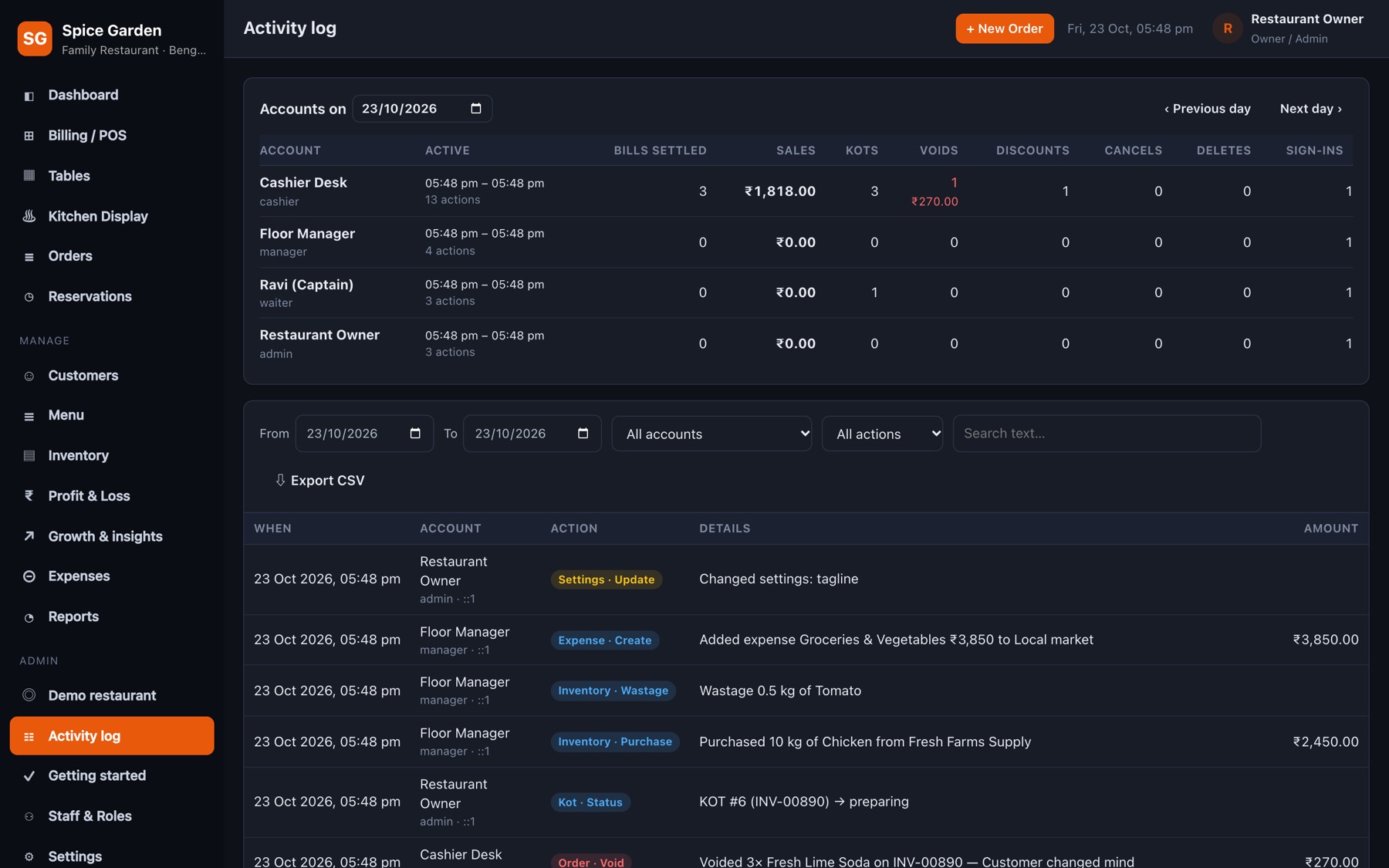
Every void, discount, delete, reset and setting change is recorded against the staff account that made it, with the time and the details.
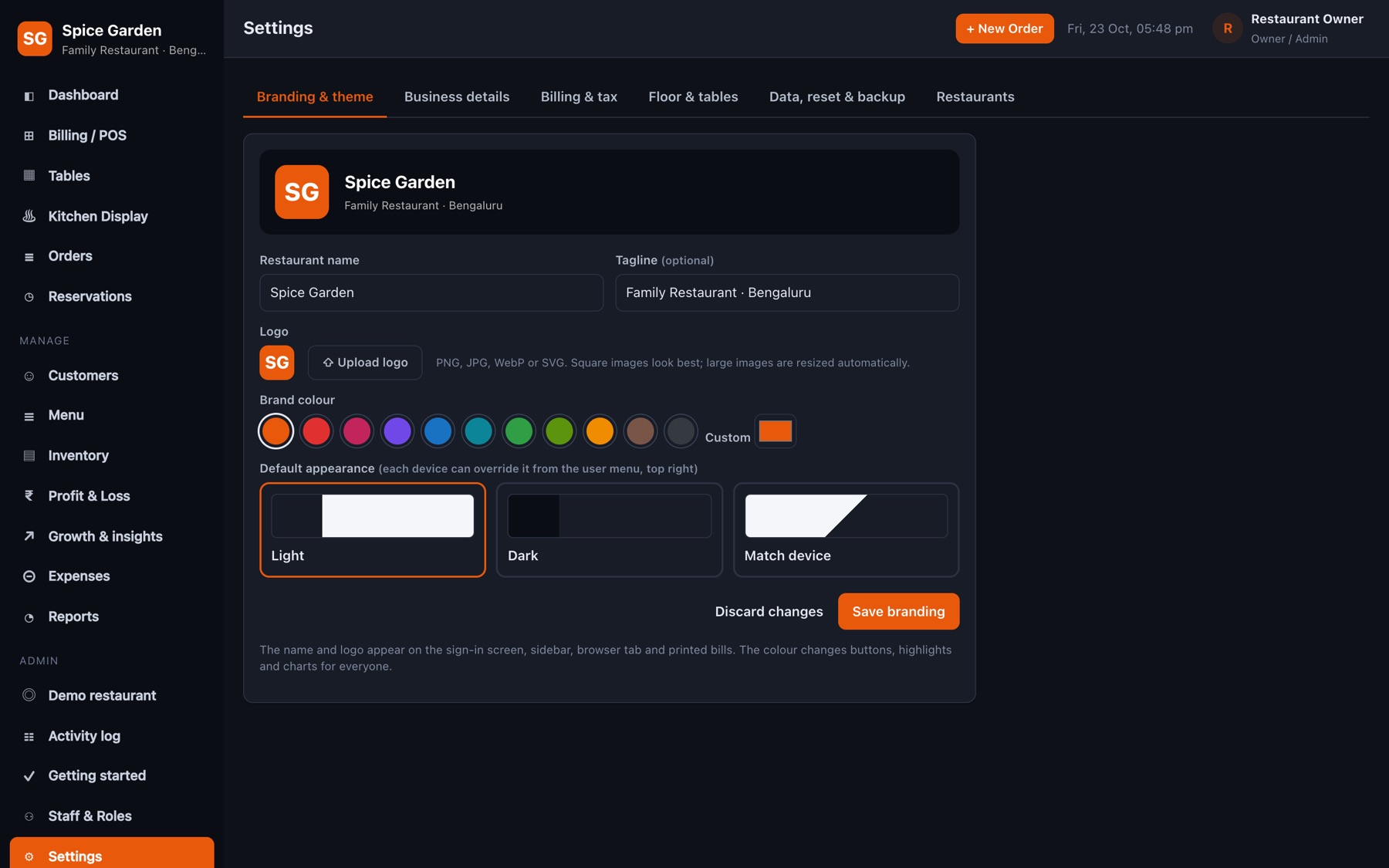
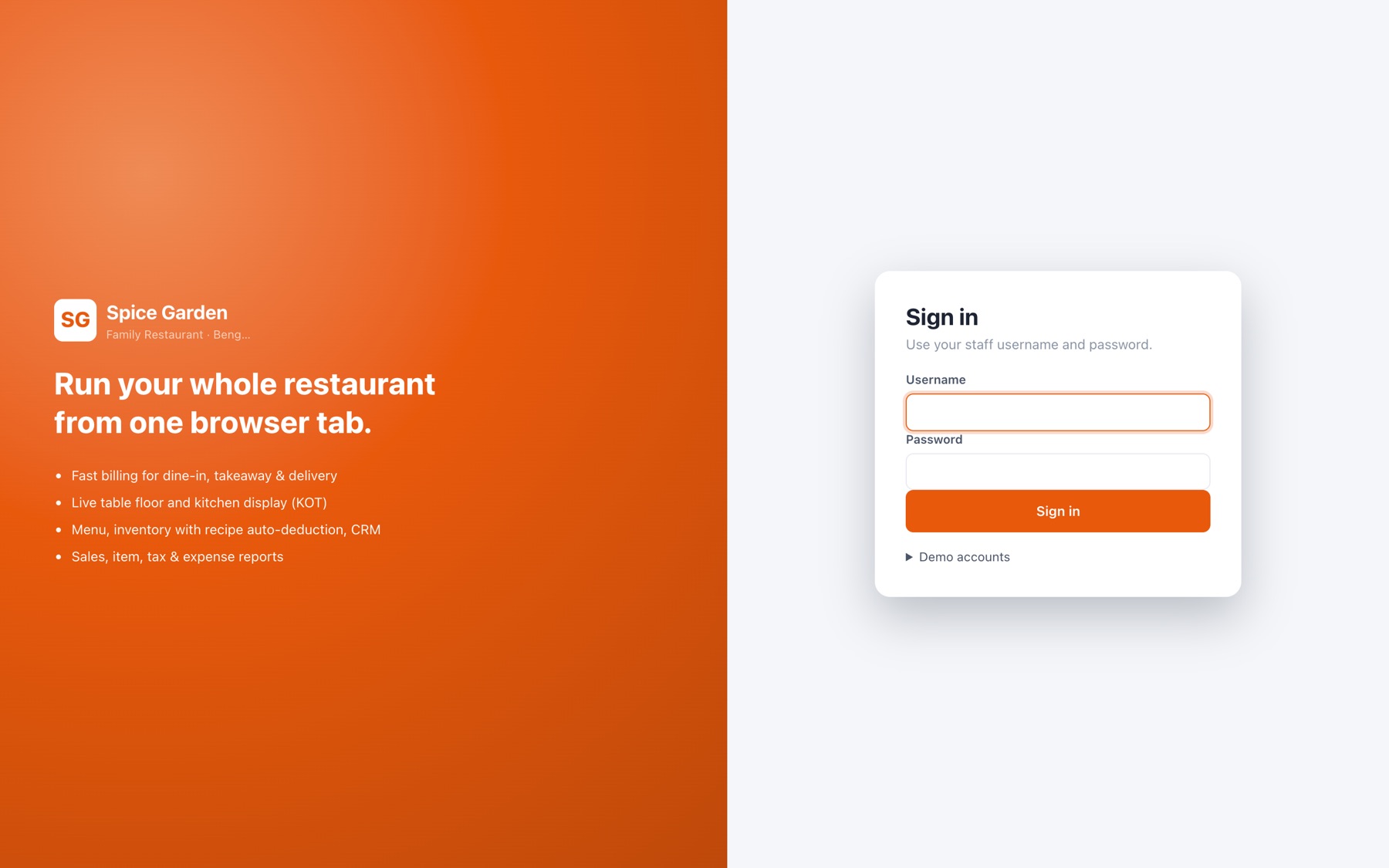
Upload a logo, rename the restaurant, pick a brand colour and light or dark mode. Bills, the sign-in page and every screen follow along.
Click any picture to open it full size.
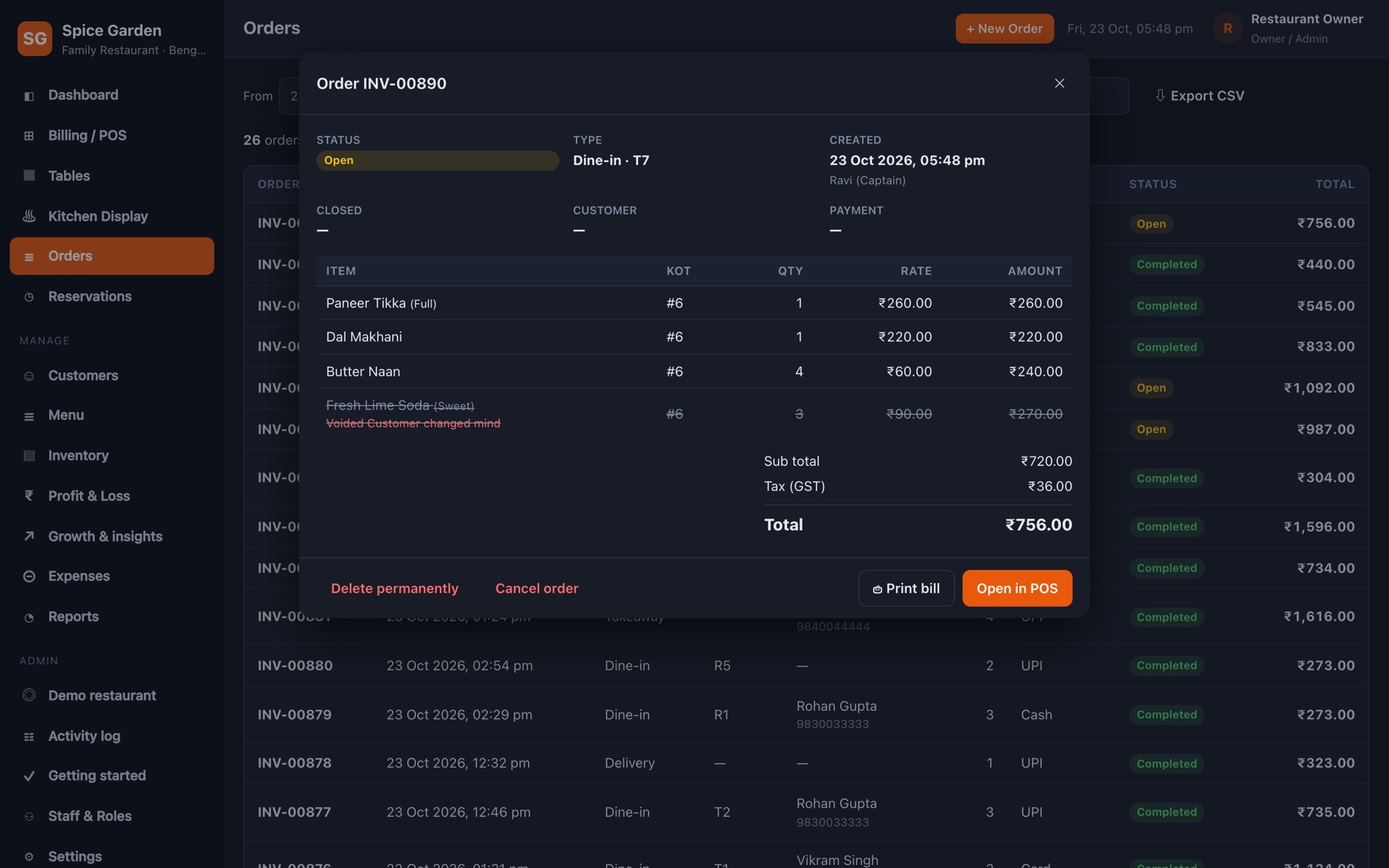
Find any bill by order number, customer, phone or table. Open it to see items, KOTs, payments and voids, reprint it, or export the list to Excel.
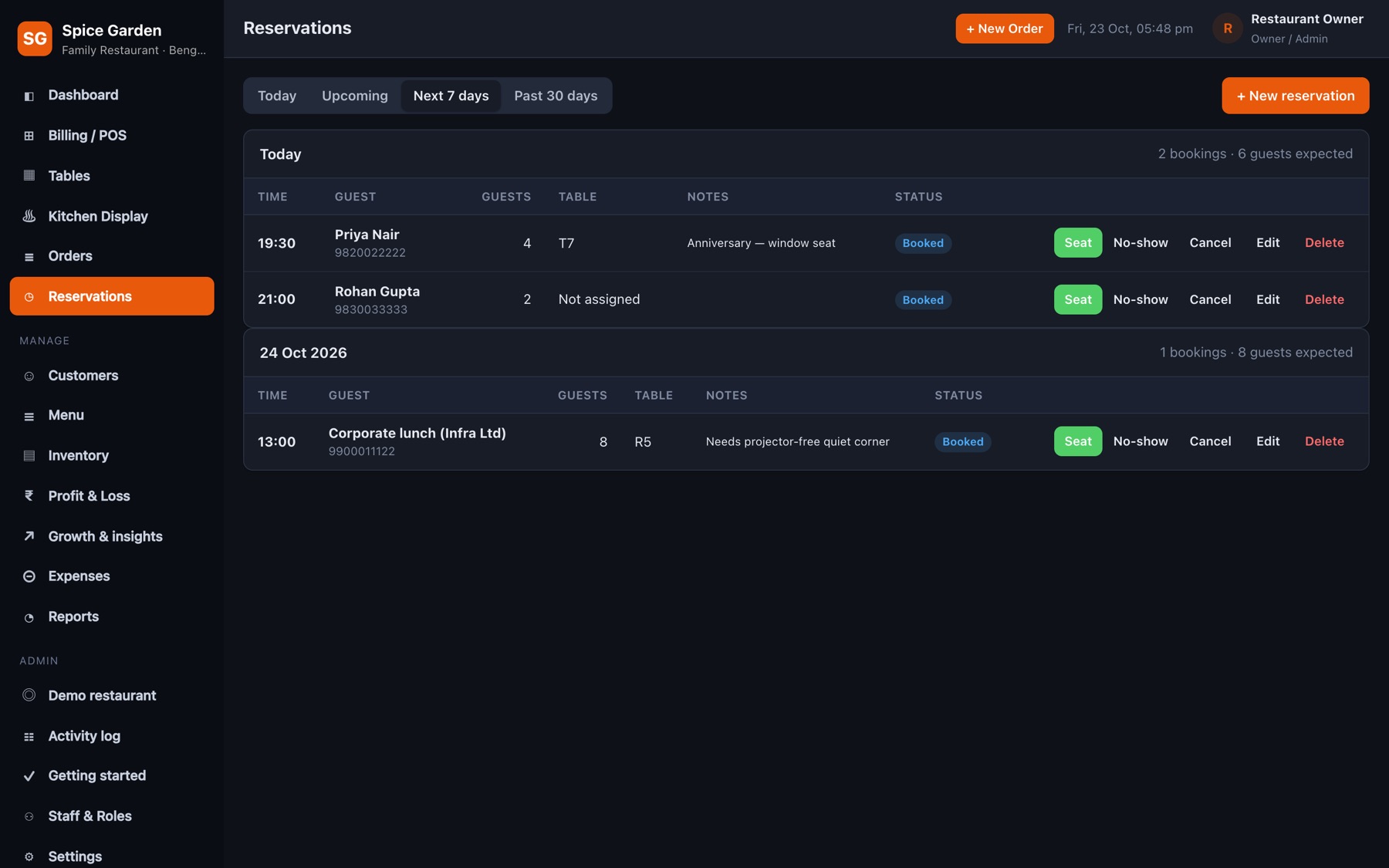
Take bookings with name, phone, guests and table. Switch between day and week view so busy evenings never surprise you.
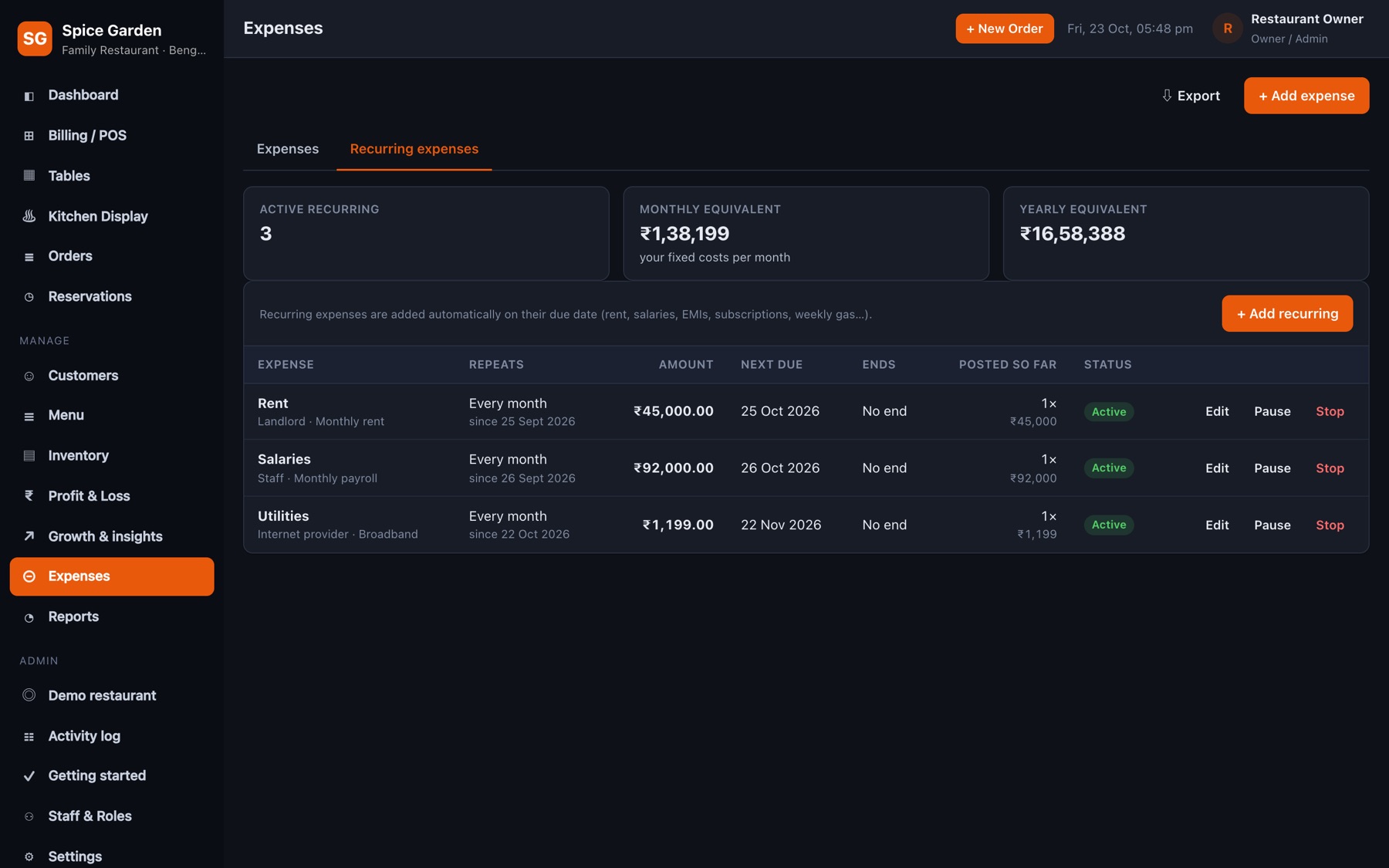
Rent on the 1st, salaries monthly, gas cylinders weekly — set them once and they're entered automatically, so the P&L is always complete.
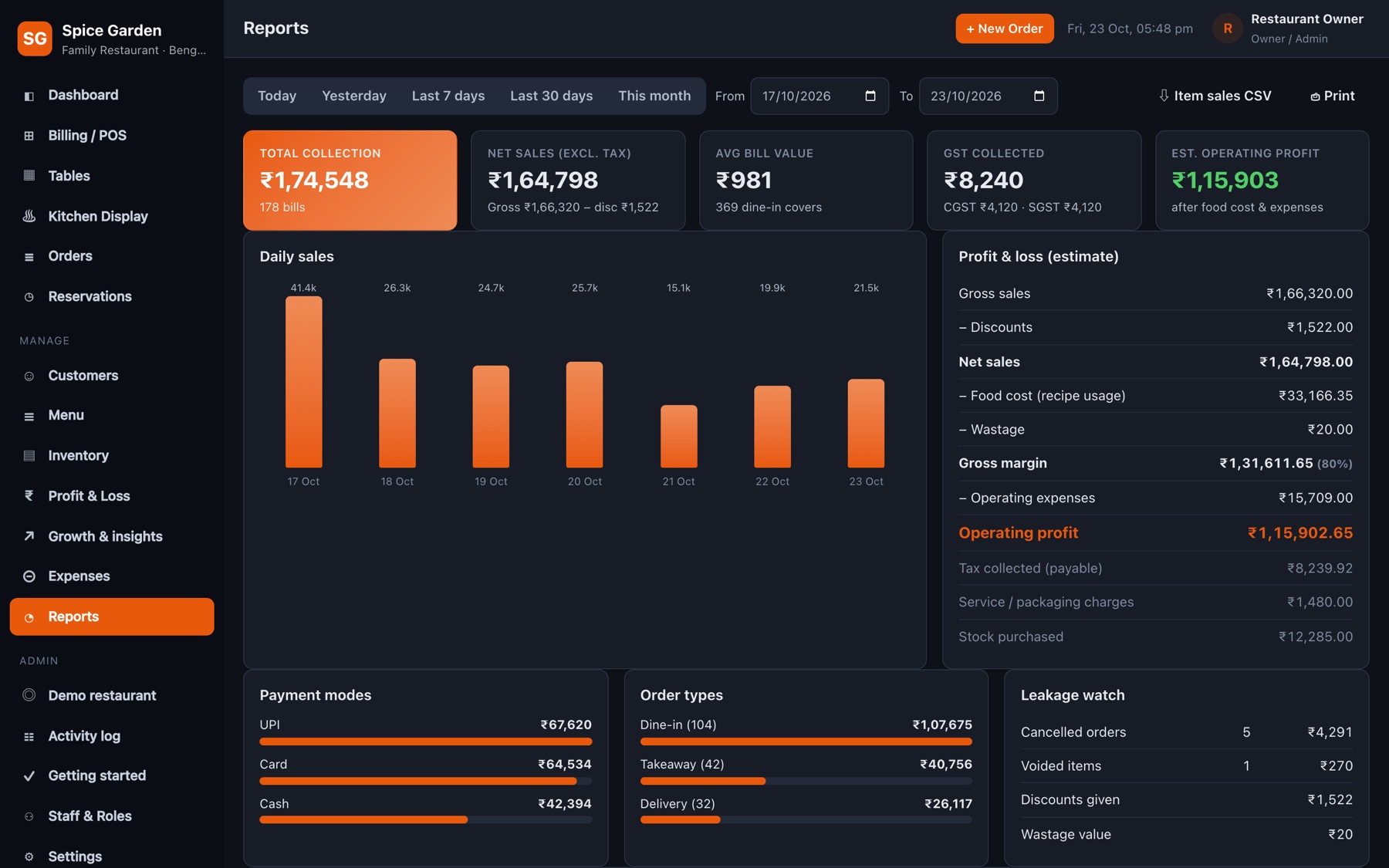
Sales by day and by hour, category-wise sales, payment modes, order types, GST and expenses for any date range.
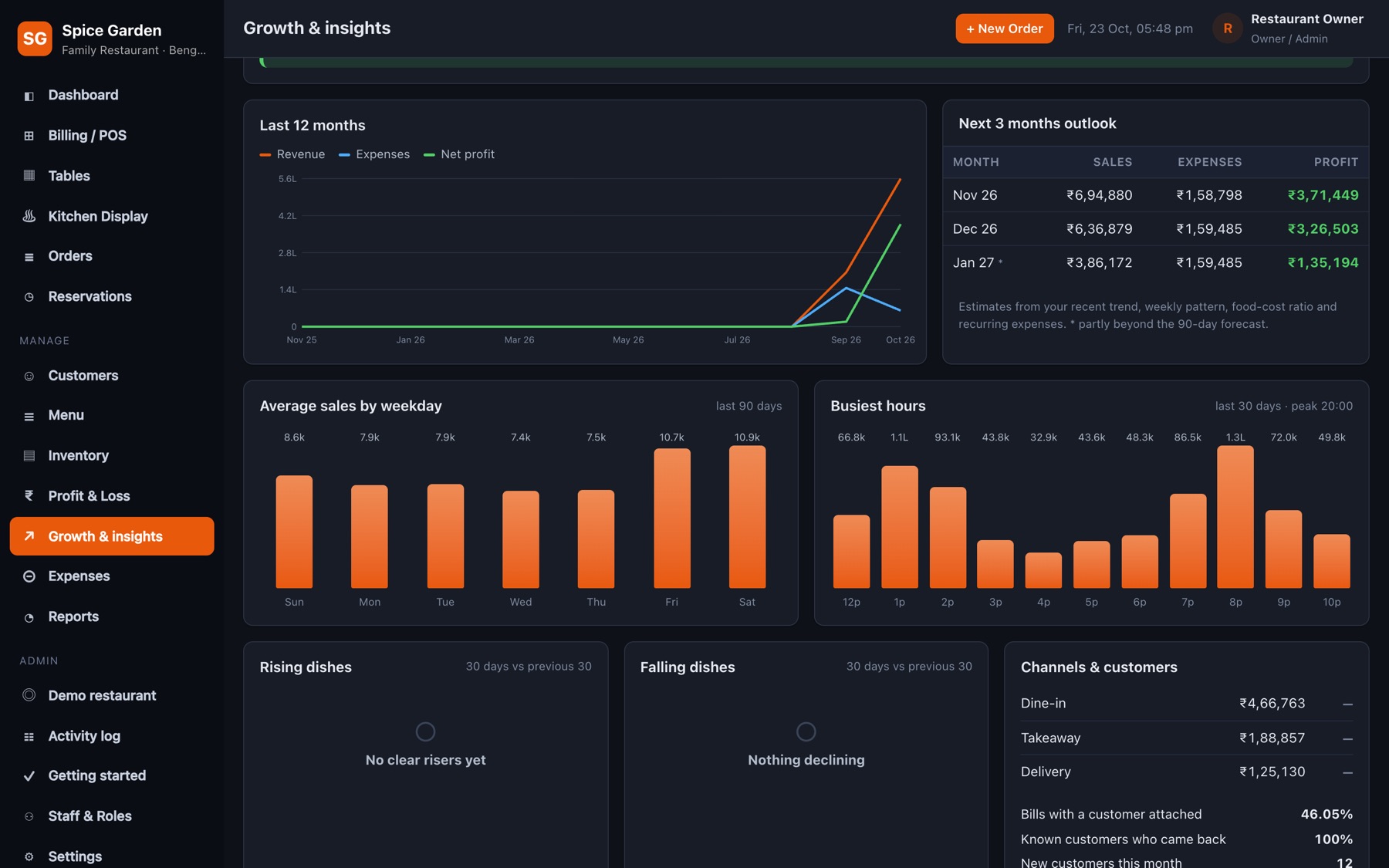
Break-even point, weak weekdays, falling dishes and channel mix turned into short, practical suggestions.
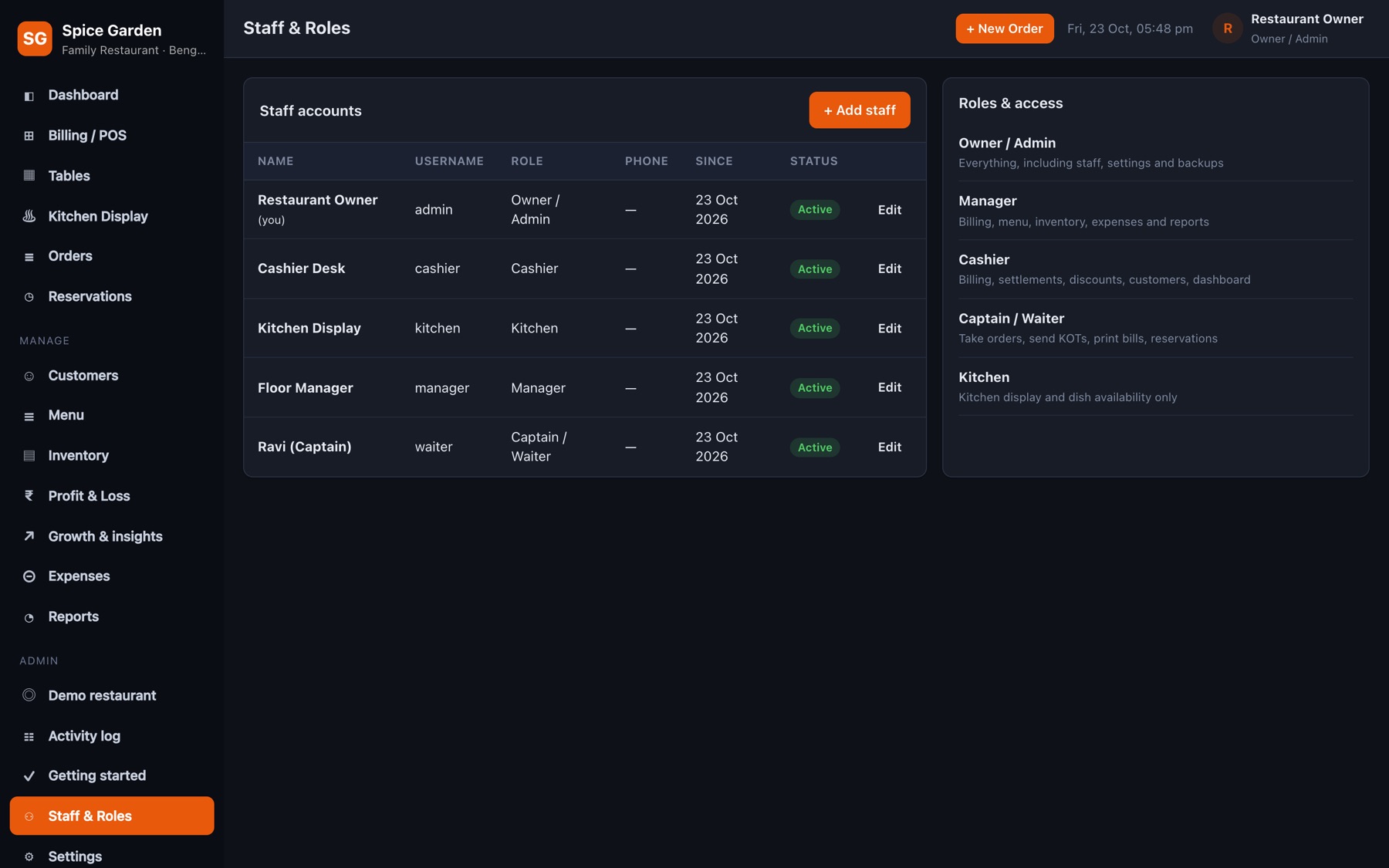
Give every person their own login and role. Disable someone who leaves without losing their history.
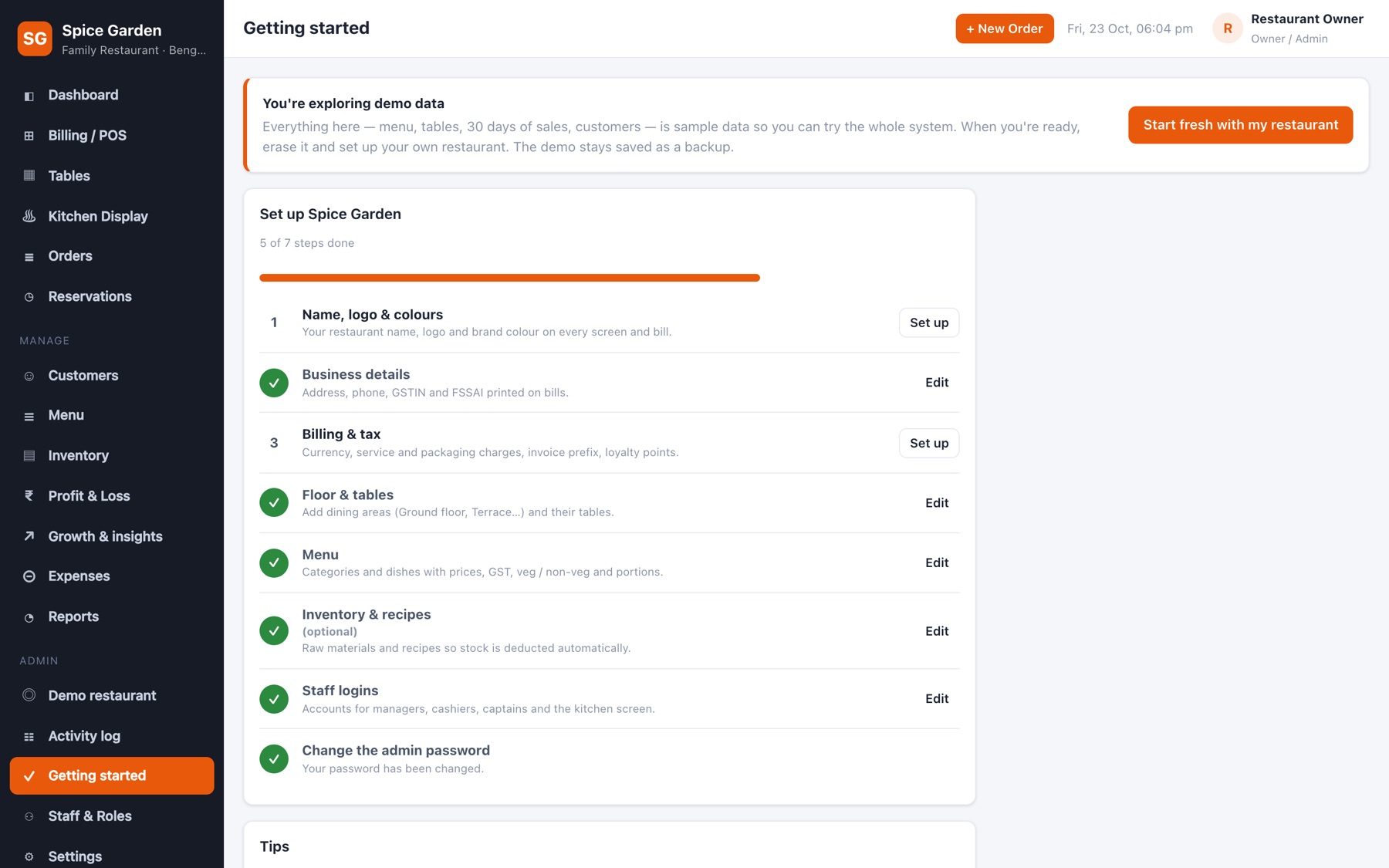
Branding, business details with GSTIN and FSSAI, billing & tax, floor, menu, recipes, staff and passwords — ticked off as you go.
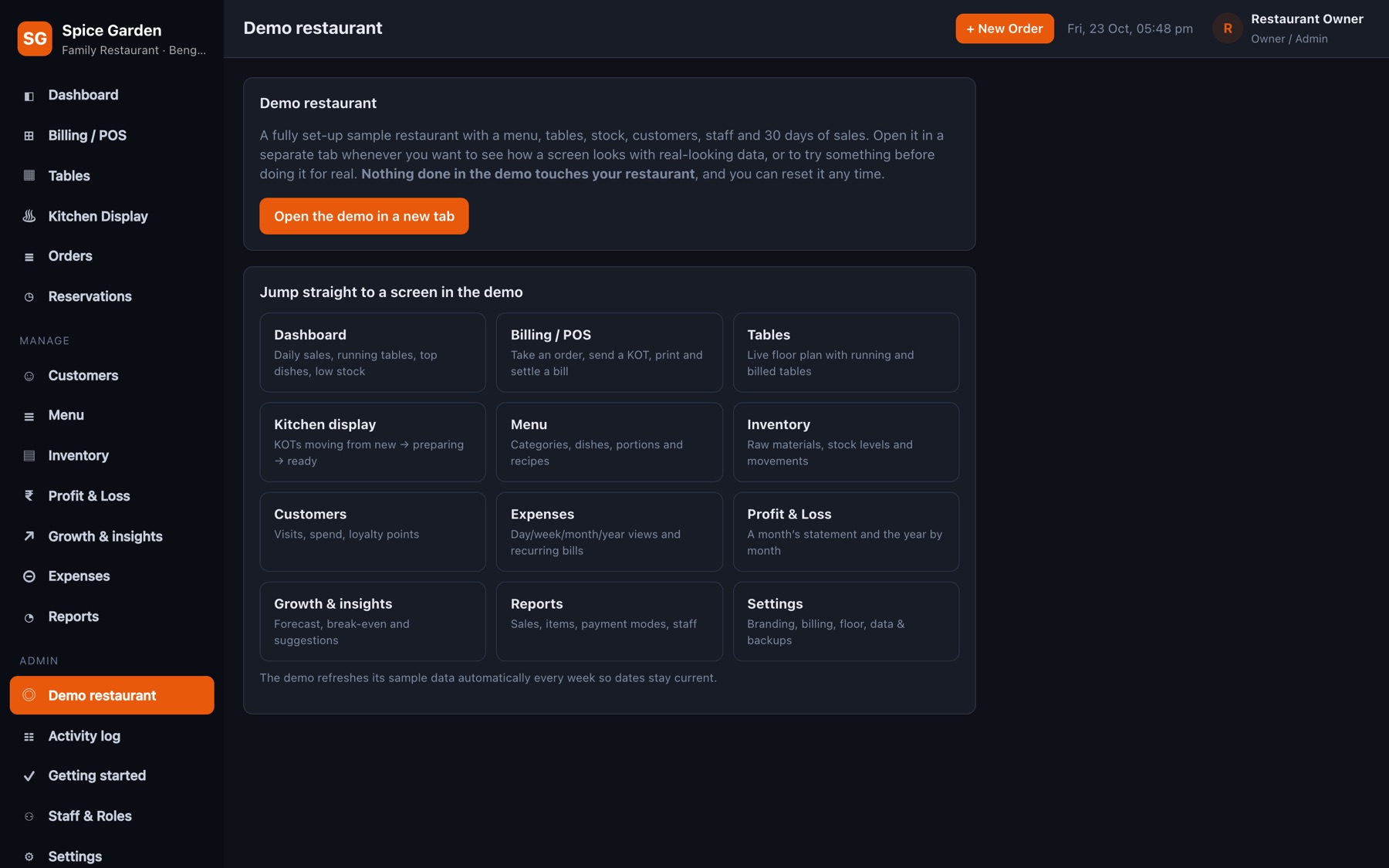
A complete sample restaurant opens in its own tab for training and reference. It refreshes itself weekly and never mixes with your data.
The parts you only notice on a busy Saturday night.
Press / to search, type a short code like PBM, hit Enter — it's in the cart. No mouse needed at the counter.
Common requests are a tap away and print on the KOT.
5, 10, 15 or 20 % in one tap, or a flat amount — always recorded in the activity log.
Guests changed tables? Move the whole order, KOTs and all.
Pick from “Customer changed mind”, “Wrong item”, “Quality issue” or type your own.
A sound plays when a new KOT arrives. Switch it off for a quiet kitchen.
The kitchen marks a dish unavailable and the POS stops selling it immediately.
Bills and KOTs print on 58 / 80 mm printers with your logo, GSTIN and FSSAI number.
If the connection drops, a banner warns staff, unsent items stay on screen, and everything catches up when it's back.
₹1,00,000 style amounts, Indian dates, and daily reports that follow Indian time.
Orders, customers, reports, expenses, P&L and the activity log open straight in Excel.
See which regulars have birthdays coming up and invite them back.
Every purchase, wastage and recipe consumption per ingredient, with cost and supplier.
Each day's sales, its closing backup, whether it was downloaded, and which staff accounts worked.
Checks your data and backups and tells the owner exactly what needs attention.
The manager logs this morning's vegetable purchase and checks low-stock items on the dashboard.
Captains take orders on their phones; KOTs land on the kitchen tablet with a bell.
Paneer runs out — the kitchen marks it unavailable and nobody can sell it by mistake.
Table 7 pays part UPI, part cash. The cashier settles in seconds; stock deducts by recipe.
A verified closing backup is saved and copied to the second backup folder (e.g. Google Drive); the owner downloads it with one click.
The owner checks today's sales, P&L and the activity log from their phone.
GST slab per item, CGST + SGST breakup, service & packaging charges, round-off.
Multiple KOTs per table, kitchen status, ready alerts on the floor.
Counter PC, tablet or phone — it opens in the browser, nothing to install.
Orders, tables and kitchen update on every screen in real time.
Owner, manager, cashier, captain and kitchen each see only what they need.
Lock-out after wrong passwords, weak-password warnings, re-confirm for risky actions.
Every 30 minutes, at closing time and before any delete or reset.
Run all your branches from one place, each with fully separate data.
A full sample restaurant to explore and train staff on — kept apart from your data.
Set up menu, tables, staff and branding step by step.
Clear sales, menus or everything and start fresh — with a backup first.
Easy on the eyes in a bright kitchen or a dim bar.
Each staff member signs in with their own account, so the activity log always knows who did what.
Years of bills, stock and customers live on your own computer — and the app works hard to make sure they stay there.
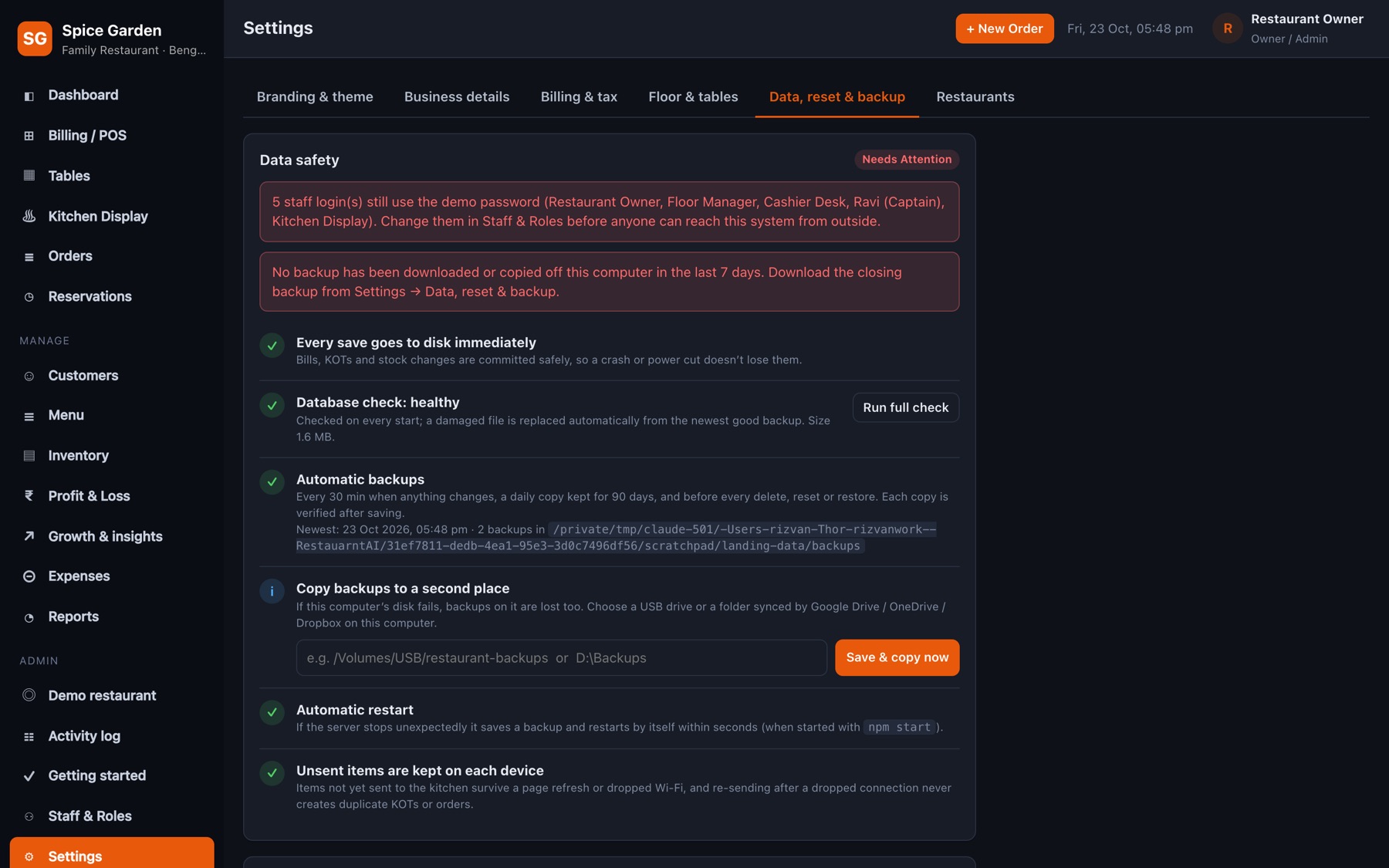
Use the arrows, swipe, or pick a screen below. Click the picture to see it full size.
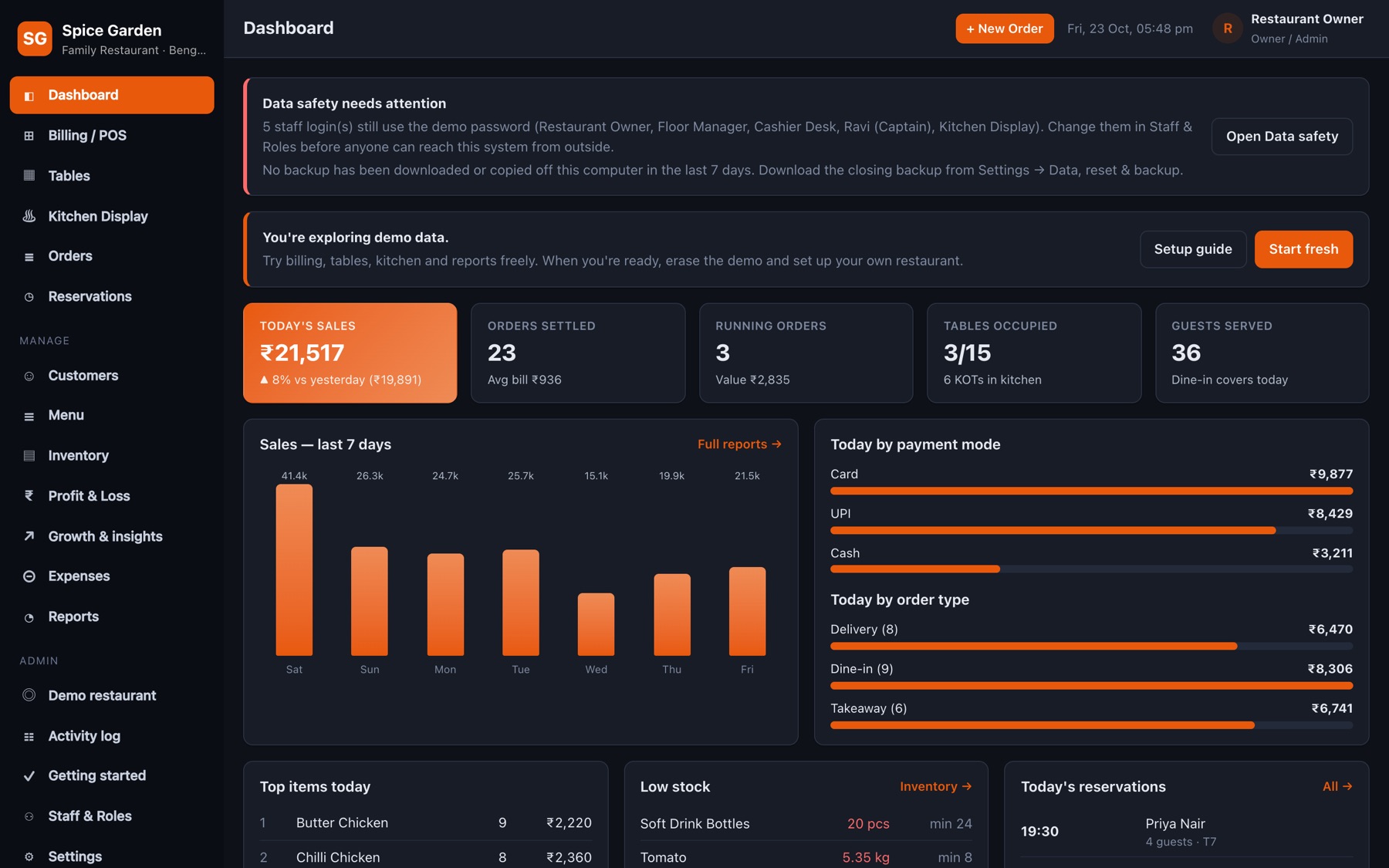
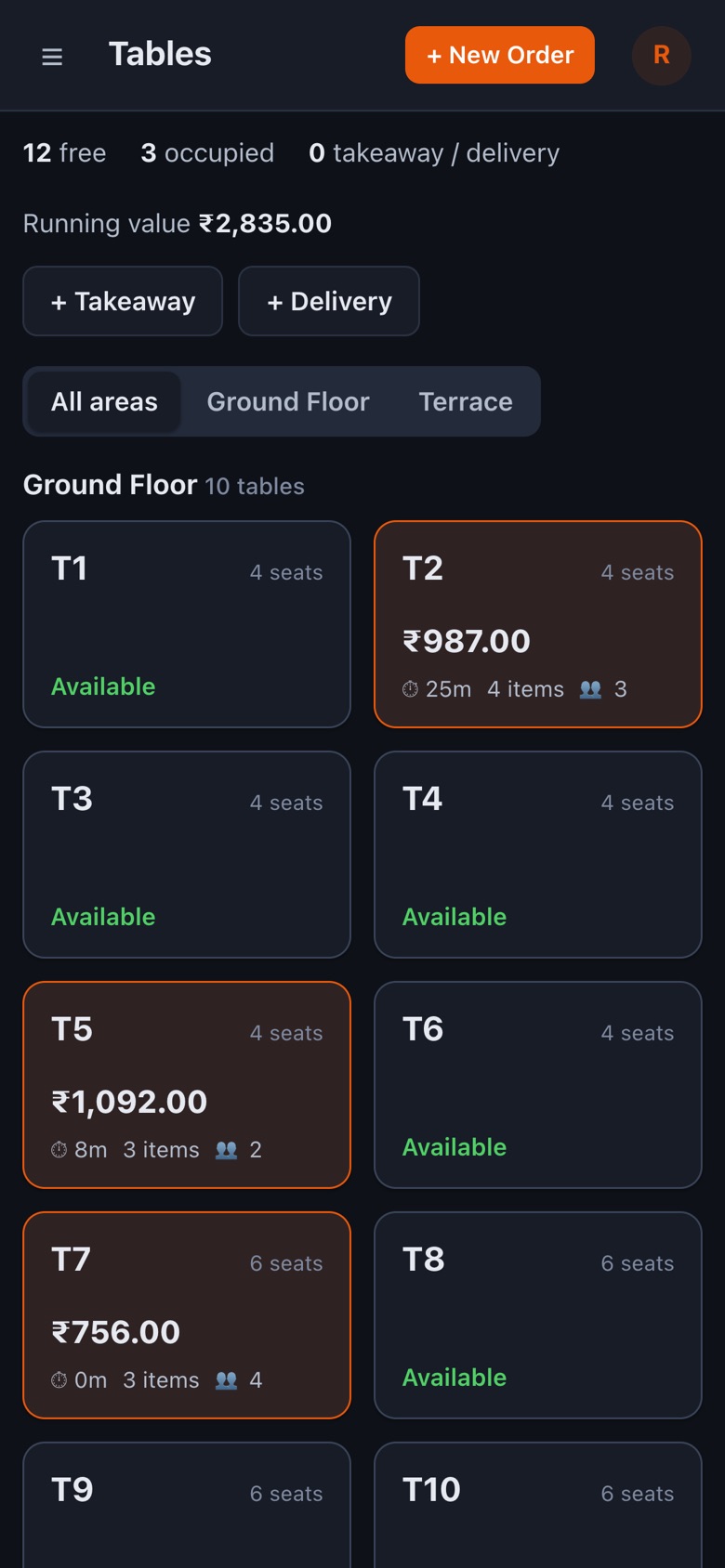
Runs on the counter PC, an old laptop or a mini PC. Tablets and phones use the shop Wi-Fi.
It records how each bill was paid — cash, UPI, card, other or a split — but it doesn't connect to a payment gateway, so there are no transaction fees. Use your existing UPI QR or card machine.
If it runs on a computer in the restaurant, nothing changes: billing, the kitchen display and the captains' phones all work over the shop Wi-Fi. Only remote access from outside pauses.
No. Any modern browser works — Chrome, Edge, Safari or Firefox on a PC, tablet or phone. Open the address once and add it to the home screen if you like.
Yes. It starts with a full sample restaurant. When you're ready, use Settings → Data → Start fresh. The demo restaurant stays available under Admin, separate from your data.
Backups are automatic and verified. Set a second backup folder (a USB drive or your Google Drive folder) and download the closing backup now and then — the dashboard reminds you.
Yes. One installation can run several restaurants, each with its own menu, staff, data and backups. Staff pick their restaurant on the sign-in screen.
Yes, through the browser's print dialog, so any printer your computer can use — including 58 mm and 80 mm thermal printers — works.
Open the demo, look around, then press Start fresh and make it yours.